Webflow vs Elementor: Which Is Better for Building Your Website?
Compare Webflow vs Elementor to choose the best website builder for design flexibility, performance, scalability, and ease of use.
TL;DR
Webflow vs Elementor: Webflow is the stronger choice for ease of use, design experience, and support, while Elementor is better suited for lower-cost projects and more complex functionality.
Webflow provides an all-in-one website-building experience with fewer setup and maintenance requirements
Elementor websites generally cost less but often require hosting, plugins, themes, and ongoing updates
WordPress with Elementor offers greater flexibility for complex layouts through its extensive plugin ecosystem
Webflow delivers a faster, more streamlined visual editing experience than Elementor
Both platforms offer strong learning resources and active communities for users seeking support
For years, people have been using WordPress development services to create various kinds of websites: landing pages, blogs, e-stores, client portals, you name it. However, a lot of new, faster tools emerged in the last decade. One of those tools is Webflow – a modern website builder with an intuitive user interface, sleek design, and a lot of functionality out of the box.
Its main selling point, though, is a powerful visual editor that allows building beautiful, responsive user interfaces faster. If you are a visionary looking for sophisticated yet easy-to-use tools, it might be tempting to abandon the WordPress platform and start building with Webflow.
But before you do that, let’s take a closer look at Elementor, a premium design add-on that can change how you design WordPress pages.
Elementor vs Webflow: An Overview
One of the important updates that changed the way users interact with the WordPress platform is the powerful drag-and-drop builder Elementor. Elementor was released in 2016 and quickly became one of the most popular tools on the WordPress market.
The reason for it is simple – before Elementor, there was no quality visual editor in WordPress, so if you wanted to style your page, you usually had to mess with HTML and CSS.
With Elementor, WordPress users get access to a modern frontend builder with a lot of advanced templates, themes, and elements. You can choose between Elementor and custom WordPress themes. Elementor also supports one of the most used eCommerce plugins, WooCommerce, and features an active online community.
This means that anyone can master Elementor fairly quickly and find help online when they are stuck. Elementor’s designs and functionality made WordPress more modern and accessible to users who didn’t want to design all pages by themselves.
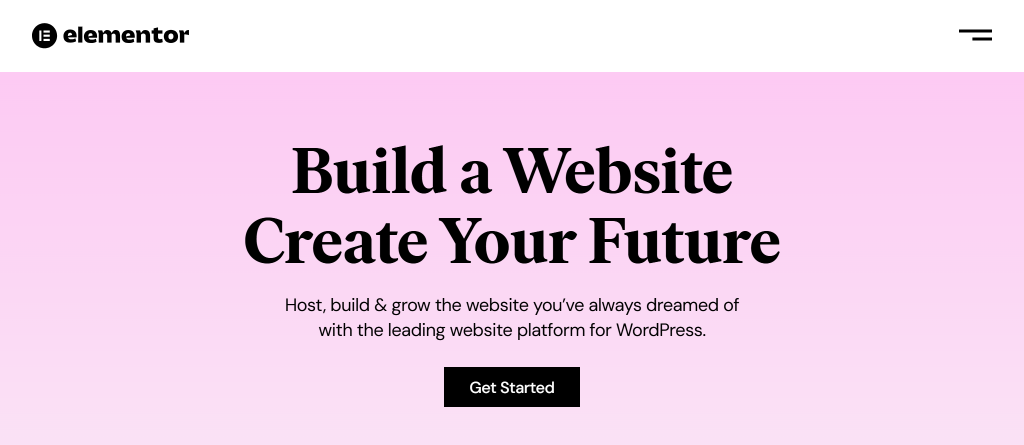
Elementor Home Page
Webflow is a powerful website builder, well known for its unique drag-and-drop visual editor. This platform was launched in 2013, ten years after WordPress. While it means that Webflow is way newer, WordPress got quite a few core updates since then.
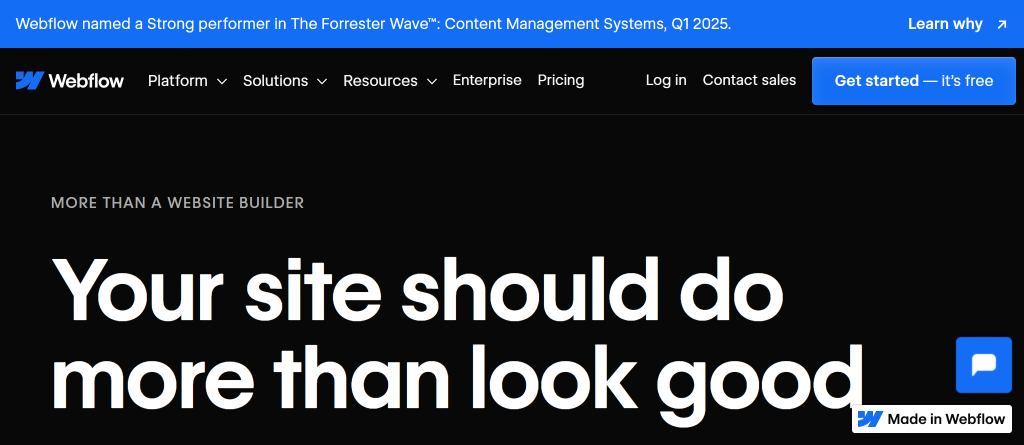
Webflow Templates Page
Webflow vs Elementor Comparison
Ease of Use
How easy is it to build a website with Webflow vs Elementor? At first, it might seem that the design process with Webflow and Elementor is almost the same. However, it’s not always the case. If you choose to use WordPress with Elementor, you’ll have to be more involved in the process.
This means installing and updating all the plugins, buying a domain, taking care of security, etc. Webflow, on the other hand, is trying to make the process of launching a website as painless as possible. You can sign up for a Webflow account literally in seconds and start building beautiful responsive pages right away.
The user experience will also be on point: before you start, Webflow will help you to pick the right template by asking you about your technical experience and the type of site you are building. In most cases, those advanced templates, powered by HTML5, CSS3, and JavaScript, have everything you need to start building.
Alternatively, you can pick a blank page to create a website from scratch. Some users might find their templates a bit limiting but overall, Webflow Designer is extremely easy to use.
With WordPress, you choose greater flexibility but also a more hands-on approach. Be ready to do your research, visit forums, and try a few templates before finding the right one. Elementor features all of the elements you would expect from a modern website builder.
However, after you get a taste of Webflow Designer, the Elementor interface might feel a bit clunky. To achieve the same results with Elementor, you’ll also have to install a few more plugins and software that need constant updates.
So while both websites would look kind of the same to your clients, the way you will build them will be quite different. With WordPress, you are more likely to have messy code behind the scenes and a bunch of dependencies that affect the performance.
While both drag-and-drop builders are fairly easy to use, setting up a WordPress website with Elementor will take a while. In this category, Webflow is definitely the winner!
Price
Both platforms offer free and paid plans, but in both cases, you’ll have to pay extra if you want to create a polished, professionally-looking website. You can always try any of these platforms for free, but with some hidden costs you should be aware of.
With WordPress, you’ll have to pay for:
Hosting
Custom domain
PRO plan
Theme
Premium version of Elementor
Other premium plugins
With Webflow, you’ll pay extra for:
Premium templates
Webflow plan
Additional features (optional)
A lot depends on your setup and the number of paid plugins you decide to use, but generally, a simple WordPress-based site will cost you a bit less than a Webflow website.
Both builders offer free plans, but it will cost you anywhere from $100+ a year to build a professionally-looking site. With cheap hosting and free plugins, WordPress-based websites generally cost less.
Learning Resources and Support
WordPress is amazing when it comes to finding learning resources. As an open-source platform that has been around for almost 20 years, WordPress features a lot of helpful resources.
However, Webflow also has a strong online community and some great tutorials available. Whenever you are stuck, whether you are working with Webflow or Elementor, you can almost always find a solution to your problem online.
Both Webflow and Elementor feature strong online communities and helpful learning resources. All in all, both platforms are relatively easy to master.
Complex Layouts
As mentioned earlier, Webflow comes with a lot of ready-to-use templates and pre-built functionality. Most of the time, it’s a big advantage that can significantly speed up the design process.
At the same time, it can also be pretty limiting, especially if you are trying to build a complex layout or get the data from other, third-party resources.
When it comes to building complex web-based solutions, WordPress is definitely a winner. An abundance of free and paid plugins available makes it easy to significantly extend Elementor’s native functionality.
Design Experience
Webflow editor is a real powerhouse. So no wonder that in terms of speed and user experience, Webflow is way ahead of Elementor.
The reason behind it is simple – Webflow is a stand-alone, all-in-one solution, while Elementor is a plugin that works on top of another platform – WordPress. If you add all the plug-ins and extensions available for Elementor to the mix, you can get a pretty slow and messy editor as a result.
Webflow Designer, a powerful, all-in-one editor, is way faster and more performant than Elementor. Elementor was built on top of WordPress, and sometimes, additional plugins and extensions can slow it down even further.
Support
Webflow features 24/7 support so you can get all your questions answered fast. Elementor has its own support team too but still, when you work with WordPress and Elementor, you’ll have to figure out a lot on your own.
Their team is also slower so you’ll have to wait a bit more. And keep in mind that if you use any third-party extensions, you’ll need to contact them directly if you encounter any issues. As a rule, small WordPress plugins don’t have the best support teams behind them.
Webflow vs Elementor: Pros and Cons
Both Webflow and WordPress with Elementror can help you build beautiful, responsive user interfaces with ease. However, there are some important differences in how these two visual editors function. Once you evaluate all the pros and cons of each platform, you should be ready to make the right decision.
Elementor makes more sense when the project needs WordPress more than it needs Webflow’s controlled visual environment. That usually means existing WordPress content, WooCommerce, plugin-based functionality, custom post types, editorial workflows, or a client team that already knows WordPress.
It is also a practical fit when budget matters and the project can stay disciplined: a solid theme, limited plugins, clean templates, and proper hosting. Elementor becomes weaker when every missing feature is solved by adding another plugin. That is where maintenance, speed, security, and QA can become harder than expected.
For agencies, Elementor is often a good fit when the client expects long-term WordPress ownership and the build can be handed off with clear editing rules.
Webflow makes more sense when the site is design-led, marketing-focused, and needs to be built in a more controlled environment with fewer moving parts.
It is a strong option for landing pages, campaign sites, portfolio-style websites, small CMS websites, and visually polished marketing pages where designers and marketers need to adjust layouts without managing WordPress hosting, plugin updates, or theme conflicts.
The trade-off is flexibility. Webflow is not always the best choice for projects with complex backend logic, unusual data relationships, large plugin-style feature requirements, or deep third-party workflows. In those cases, the convenience of Webflow can turn into a constraint.
Elementor on WordPress is often cheaper for a simple website, but only if the setup stays simple. A low-cost host, a lightweight theme, a limited plugin stack, and one Elementor license can keep the yearly cost relatively low.
The real cost changes when the site needs premium plugins, paid templates, better hosting, security tooling, backups, staging, performance optimization, or developer time to fix conflicts. Webflow usually has a clearer platform cost, but the total can increase with paid plans, templates, workspace needs, ecommerce, bandwidth, or advanced features.
For client work, the cheapest option is not always the safest one. A cheaper Elementor build that becomes slow, plugin-heavy, or hard to edit can cost more in support time than a more controlled Webflow build.
Webflow is usually easier to maintain if the site stays within Webflow’s native capabilities. There are fewer separate technical layers to manage: no WordPress core updates, no theme updates, and no pile of third-party plugins that may break after an update.
Elementor requires more active ownership. A WordPress and Elementor site needs plugin updates, theme compatibility checks, backups, security monitoring, staging tests, and performance reviews. None of that makes Elementor a bad choice, but it does mean someone has to own the site after launch.
In agency workflows, this is often the deciding factor. A site that looks fine on launch day can still create problems if the client, agency, and website development partner have not agreed who handles plugin updates, QA, urgent fixes, and new page requests.
Webflow is not too limited for most modern marketing layouts, but it can become limiting when the project moves beyond Webflow’s natural strengths.
The risk is not usually the visual layout itself. Webflow can handle sophisticated responsive design, animations, CMS-driven sections, and polished page structures. The limits appear when the project needs complex data relationships, custom backend logic, unusual integrations, advanced ecommerce behavior, or workflows that depend on external systems.
For those cases, the right question is whether the site is still a Webflow project or whether it needs custom development around another CMS or framework. If the project is mainly a high-quality marketing site,Webflow development can be a good fit. If the site depends on complex operational logic, forcing it into Webflow may create technical debt.
Yes, Elementor sites can become slow or hard to manage when the build depends on too many widgets, add-ons, templates, scripts, and plugins.
The common pattern is simple: Elementor solves the page-building problem, then the project keeps adding separate plugins for forms, sliders, popups, SEO, security, caching, ecommerce, analytics, cookie banners, and small visual effects. Each tool may be reasonable on its own, but together they can create heavier pages, more update risks, and more QA work.
A well-built Elementor site can still perform well. The difference is discipline: lightweight theme, limited plugin stack, optimized images, caching, clean template structure, and testing changes on staging before production. Without that discipline, Elementor can turn into a convenient editor sitting on top of a fragile WordPress setup.
The better option for agencies depends on the delivery model, client handoff, and post-launch ownership, not only on builder features.
Webflow is often better when the agency needs a controlled, design-led marketing site with fewer maintenance variables. Elementor is often better when the client expects WordPress, needs content-heavy publishing, WooCommerce, custom plugins, or a familiar CMS workflow.
Before choosing, agencies should check:
who will edit pages after launch
who will handle updates and support
whether the client needs WordPress-specific features
how much custom functionality is expected
whether the site must support repeated landing page production
how strict the performance and SEO requirements are
For agency production, the safest choice is the platform that matches the handoff plan. If the client needs WordPress ownership but the agency does not want to carry all development work in-house,WordPress development support is usually more relevant than trying to force the project into Webflow.
You should decide between Webflow and Elementor by mapping the site to editing needs, functionality, maintenance ownership, and future growth before design starts.
Use a simple decision check:
choose Webflow if the project is mostly a marketing site, needs strong visual control, and should avoid WordPress plugin maintenance
choose Elementor if the project depends on WordPress content, WooCommerce, plugin-based functionality, or a client team that already works in WordPress
avoid both as a default if the project needs complex backend workflows, unusual integrations, or application-like functionality
The mistake is choosing based only on what is easiest to design in the first week. For real projects, the more important question is what happens after launch: who edits the site, who fixes problems, who owns SEO changes, and how much the site is expected to grow.
Yes, you can migrate from Elementor to Webflow or from Webflow to WordPress, but it should be treated as a rebuild and migration project, not a simple export-and-import task.
An Elementor-to-Webflow migration usually means recreating page templates, rebuilding responsive layouts, moving content into Webflow CMS where appropriate, replacing WordPress plugin functionality, and setting up redirects. A Webflow-to-WordPress migration can require rebuilding templates, recreating CMS structures, moving media, replacing forms or interactions, and checking which Webflow-specific features need alternatives.
The main risks are SEO loss, broken URLs, missing metadata, lost form tracking, design drift, and content mismatches. A proper migration plan should include content inventory, URL mapping, redirect rules, staging QA, analytics checks, and post-launch monitoring. The technical move is only part of the work; preserving the site’s business function is the harder part.
Compare the best 6 AI code cleanup companies for agencies if you need to fix, refactor, partially rebuild, or replace AI-generated websites before launch or handoff.
Best headless eCommerce platforms compared: commerce tools, Shopify Plus, and BigCommerce on API-first architecture, composable CMS, pricing, and rollout steps