Progressive Web Apps for eCommerce: Get an Edge Over Your Competition
Progressive Web Apps (PWAs) for eCommerce: improve mobile UX, SEO visibility, storefront speed, and conversion rates with app-like shopping experiences.
TL;DR
Progressive Web Apps (PWAs) combine website and app capabilities and are a practical option for eCommerce businesses that want a mobile-first experience without maintaining separate native apps.
Choose a PWA when you need one application that works across devices instead of building separate iOS and Android apps
Use PWAs to provide fast loading, offline access to previously viewed content, push notifications, and a streamlined installation process without an app store
Optimize PWAs for search engines because they can be indexed like traditional websites while delivering app-like functionality
Implement PWAs over HTTPS and secure the back end because strong security depends on both the PWA architecture and the supporting infrastructure
Plan PWA development with experienced engineers since building and maintaining PWAs requires expertise in JavaScript, service workers, and modern web technologies
The global mobile commerce market size is projected to grow from $2416.46 billion in 2026 to $5009.99 billion by 2034. With so many consumers using mobile devices to make purchases online, optimizing eCommerce stores for mobile has become a must.
Until recently, the main methods to conduct eCommerce business through handheld devices were mobile websites, mobile apps, and hybrid apps. All of them had certain limitations that didn’t allow eCommerce business owners to secure the maximum engagement of their target audiences and achieve the best user experience.
The search for optimal ways to satisfy the visitors of eCommerce sites with mobile devices continued. As a result, 2015 brought us a revolutionary type of application: a Progressive Web App (PWA). It stands at the crossroads between native apps and old faithful websites, encompassing their best traits.
Progressive Web Apps (PWAs) have existed for years, but many businesses still haven’t adopted them within their eCommerce development strategy. In many cases, store owners often don’t realize how PWAs can improve mobile UX, performance, and customer engagement.
Still have no idea what this type of app is, or have only heard about it in passing? Then, this post is especially for you to dot all the I’s and cross all the T’s for you.
What Are PWAs?
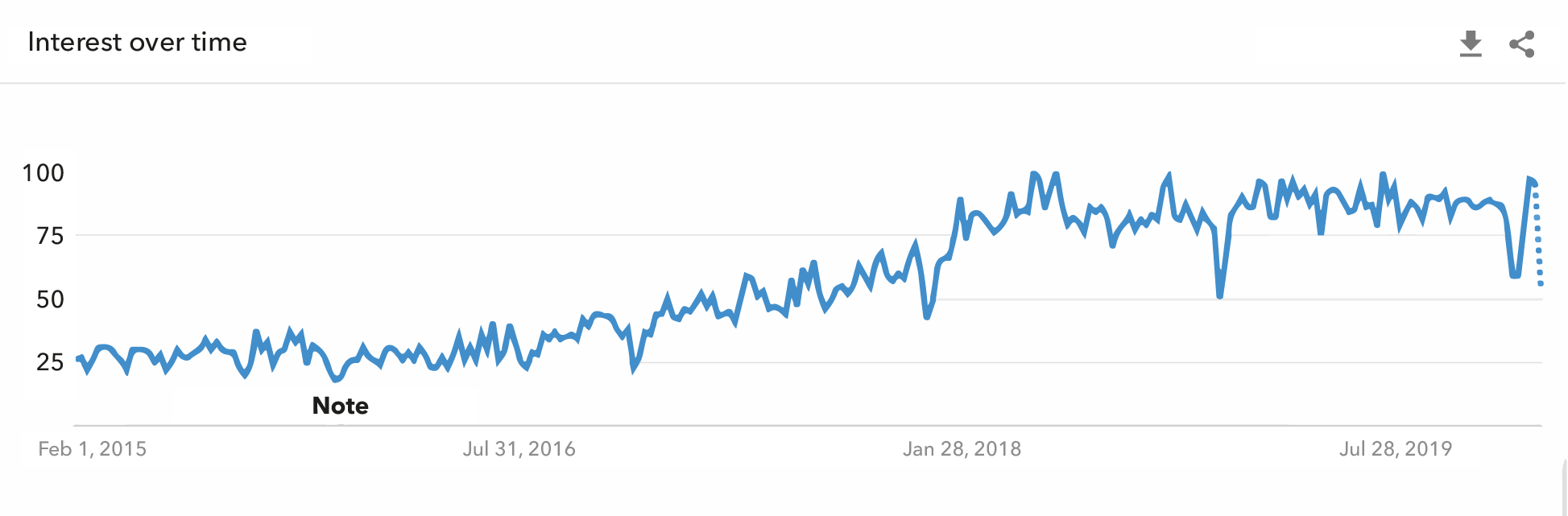
The popularity of PWAs has been on the increase since their introduction. Source: Google Trends.
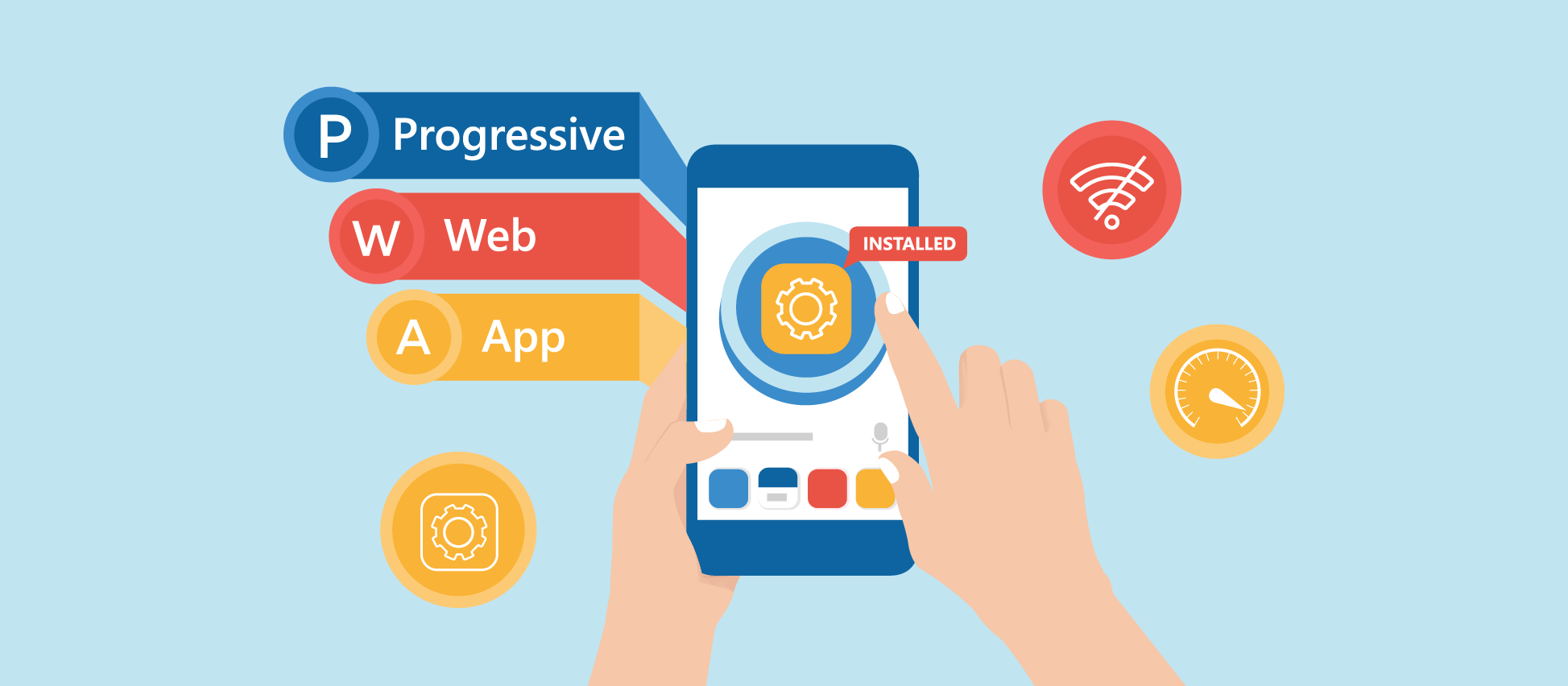
Every definition of a PWA you can come across states that it combines the capabilities of a standard website with those that Android and iOS-powered applications provide, and that’s perfectly true.
This new type of app represents a responsive website built by using the standard web development ingredients (HTML, CSS, and JavaScript) with the addition of a technology called service workers.
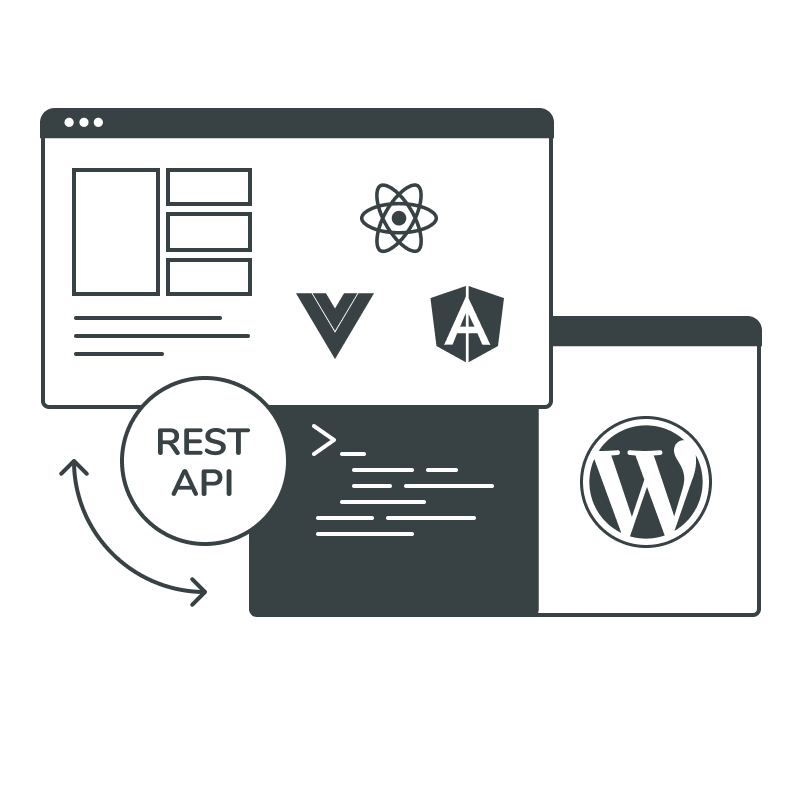
A headless architecture can complement a PWA by separating the storefront from the backend, giving businesses more flexibility over the customer experience.
You can access a PWA by entering its URL into the browser address field, just like when you visit a regular website. Once the app loads into the browser, it can be installed on your device in a fashion similar to a native app and access many of the device’s core functions, such as the camera.
A dialog box appears asking if you want to add the app to your smartphone or tablet (less frequently to a desktop). Once you click ‘Yes,’ the app’s icon shows up on the main screen of your device.
That’s it. You can now access the PWA by tapping the icon even when you are not online. The app’s publisher, in their turn, can send push notifications to your device exactly as it happens with native apps.
There are some restrictions on the content of a PWA in offline mode. However, unlike a standard website that simply goes offline and shows a 404 page, a PWA displays a part of the content as if it were still online. This is one of the numerous advantages of PWAs we’re going to discuss next.
The Key Benefits of PWAs for eCommerce needs
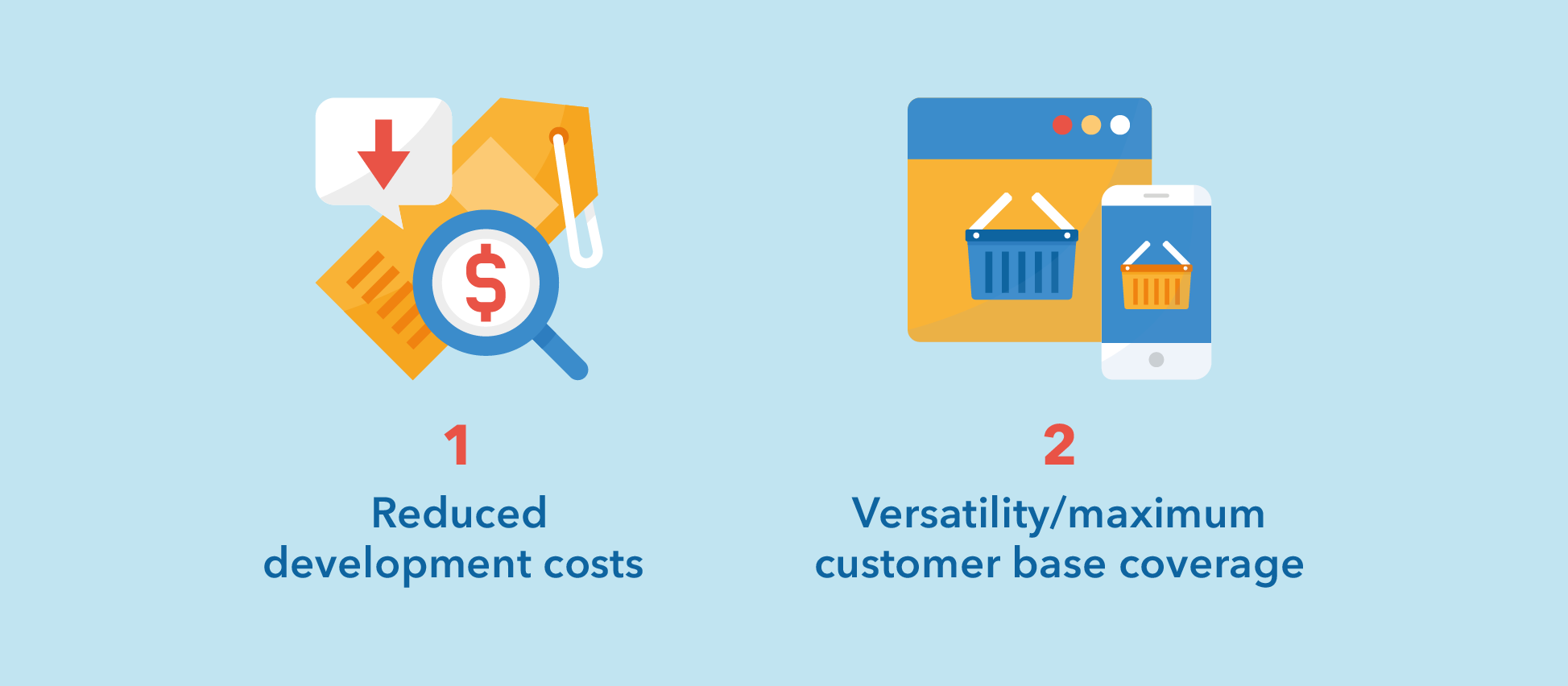
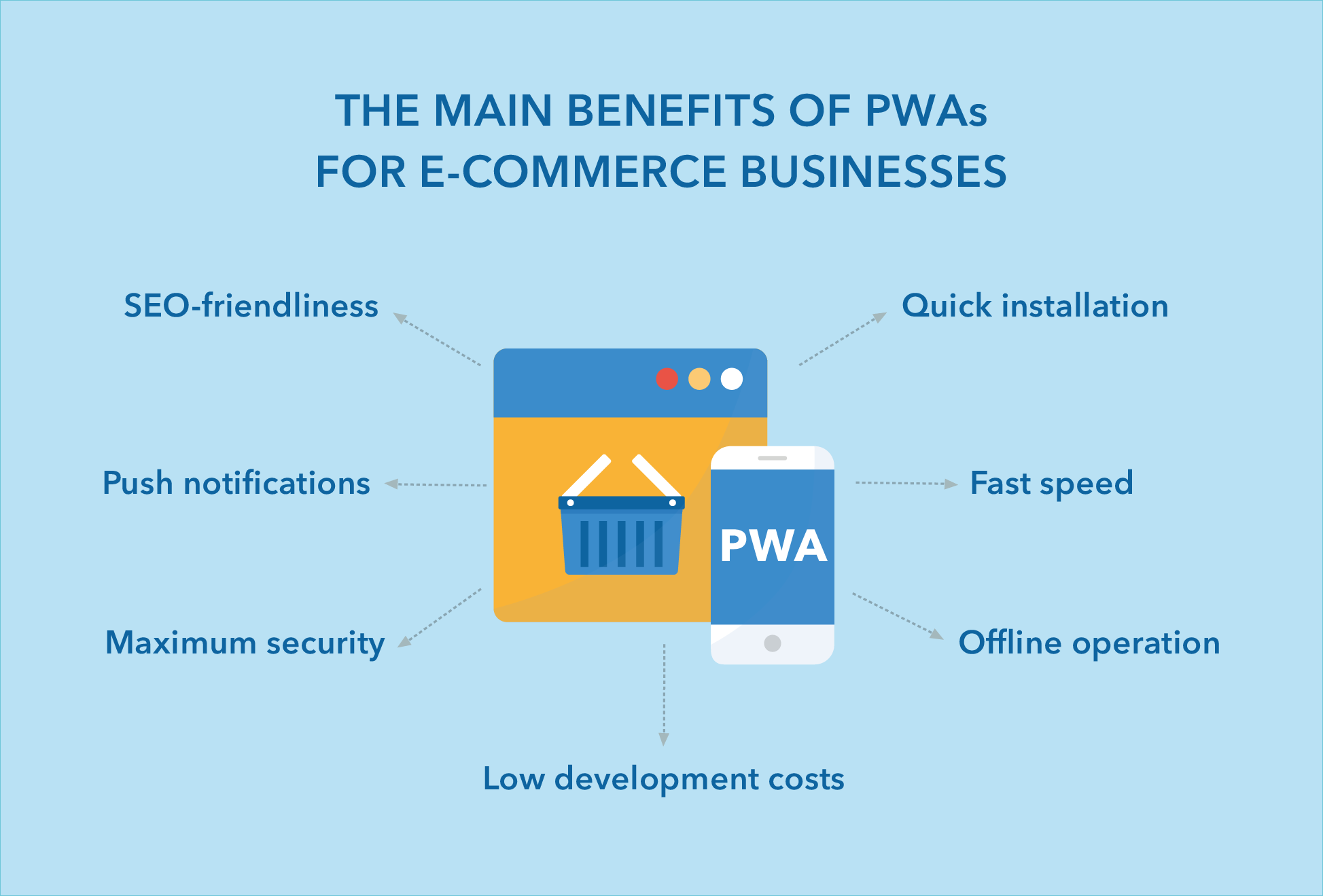
#1: Pay Less, Get More — Build One PWA to Work Everywhere
iOS and Android have ousted all of their competitors from the market without remorse. With Google and Apple almost single-handedly dominating the mobile space, companies have no choice but to target both of the tech giants’ operating systems.
Building two apps means paying twice as much, and you probably know that native app developers’ fees are quite hefty. For example, an app for iOS may cost tens of thousands of dollars! Add to this the cost of making an app for Android, and your head will start aching.
By contrast, a PWA, as mentioned earlier, has the basic web technologies under the hood. Once you have it built, it will function immaculately on a smartphone or tablet, regardless of the underlying OS. Moreover, you will hardly be able to distinguish a PWA from a native app, as it also has a home screen and works offline (more on that below).
Benefits for eCommerce Businesses
There’s no need to hire two separate development teams to build two applications. You only require one team of developers who are well-versed in HTML, CSS, and JavaScript (plus frameworks such as Angular, React, or Vue), can use service workers, and know the ins and outs of iOS and Android platforms to harness their power to the max. In the end, a PWA may turn out to be three or even four times cheaper than a native application.
Built at a low cost, a PWA will cover all your customers and prospects no matter what devices they use to access the app — every marketer’s dream.
#2: Let Your Customers and Prospects Enjoy a Quick and Efficient Installation Flow
Getting a native app to work on your device can be a rather long and laborious process. Besides, developers have to meet the strictest requirements when adding their apps to Google Play or App Store.
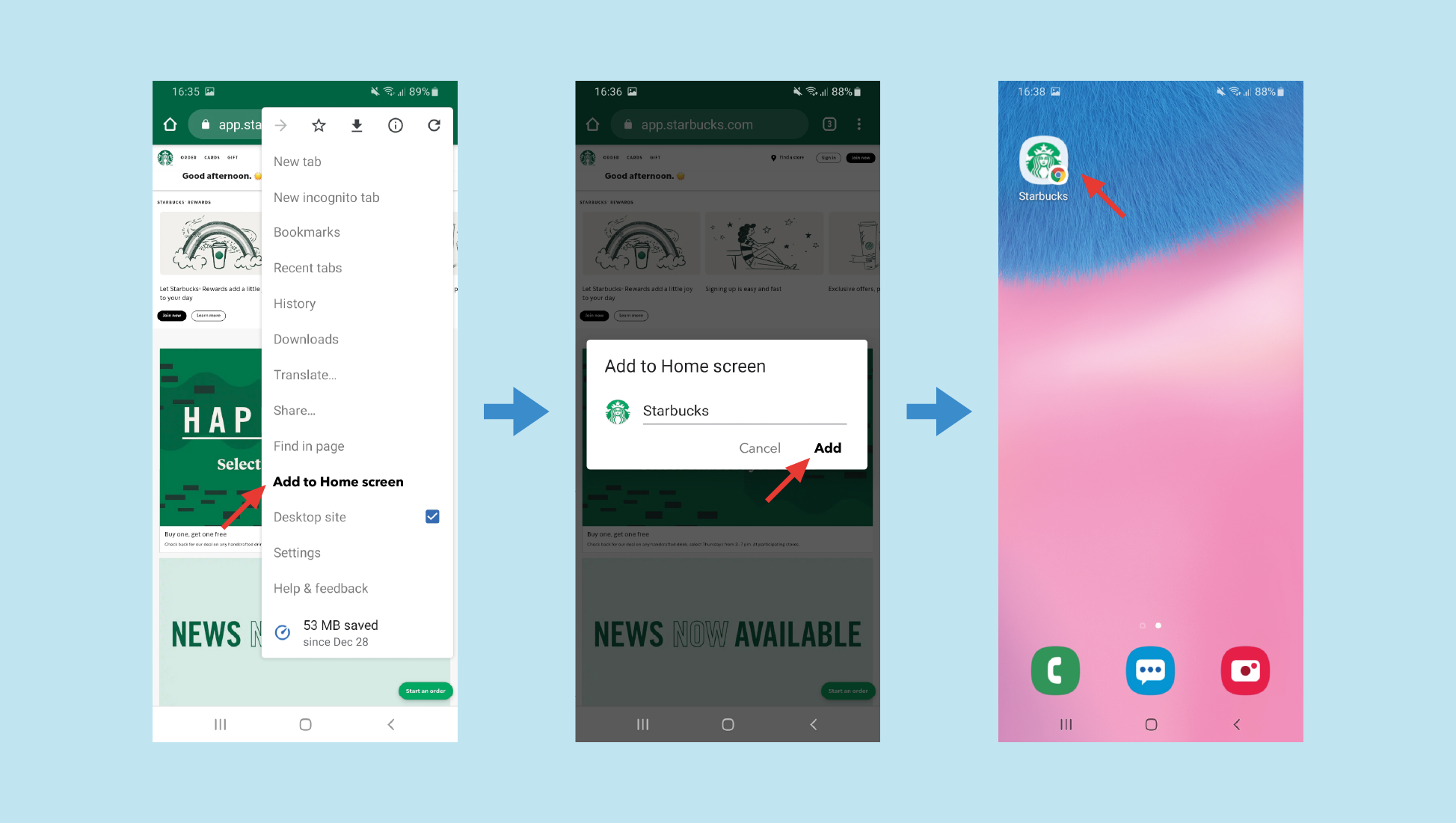
Acquiring the new type of app is straightforward. There’s no need to go to an app store. A visitor accesses a PWA via a browser by specifying its URL in the same way they access an ordinary website. Here is how the installation flow looks:
You enter the site’s URL and land on the home page. A prompt appears asking if you want to add the PWA’s icon to your home screen. Alternatively, you can tap the hamburger menu and select the ‘Add to Home screen’ option.
You click ‘Add.’
The PWA gets installed on your device and added to the list of the apps. You can now simply tap the app’s icon to access the app.
Simple and quick.
Benefits for eCommerce Businesses
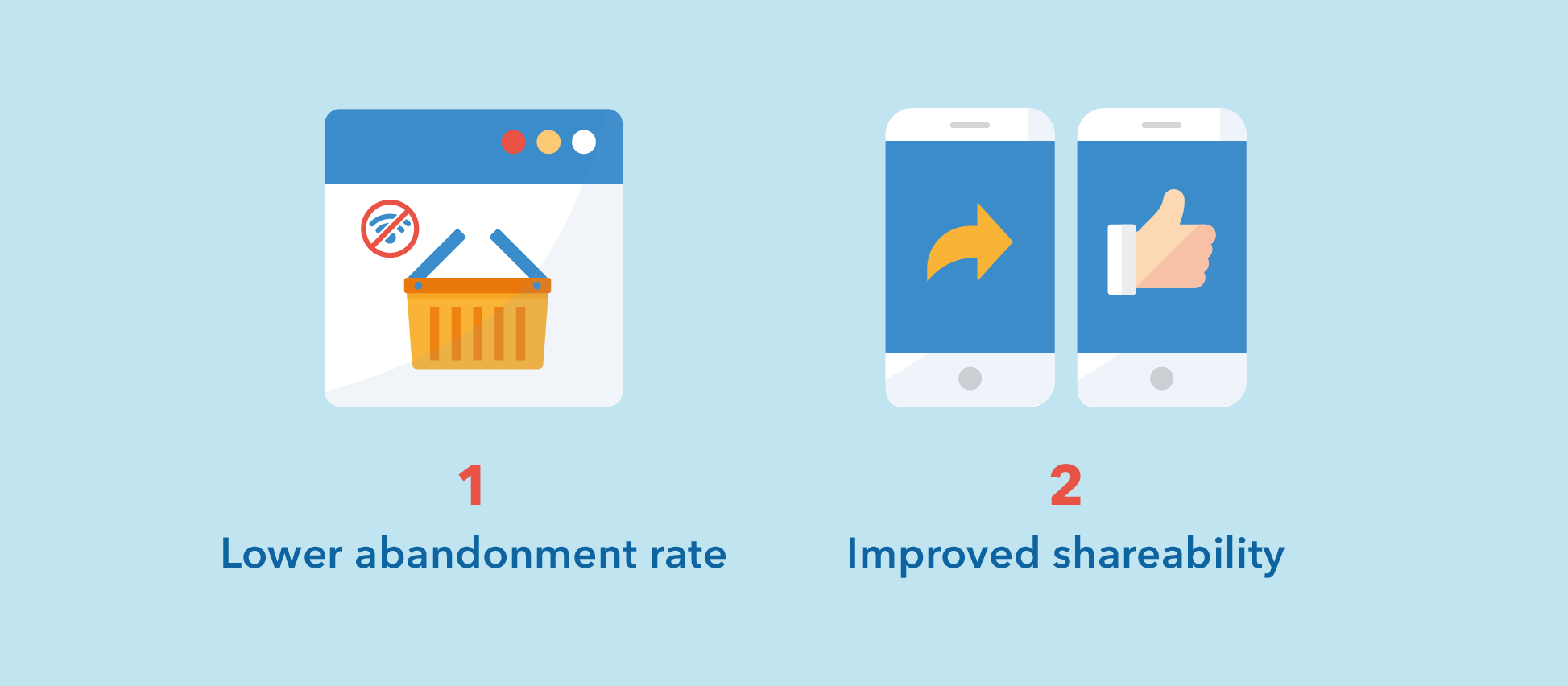
Everything is at a user’s fingertips. They don’t have to go to an app store, search for the app, and go through all the tedious steps to complete the installation. This means that more users will prefer to stay on your site.
Since all that users need to access a PWA is a URL, it can be easily shared. This can attract more prospects to your eCommerce store within a short time frame.
#3: Stay Connected with Your Customers Through Push Notifications
Let us repeat ourselves: PWAs are mobile-friendly websites that use the capabilities of native mobile apps. One such capability is the use of push notificationsto keep connected with your customers or prospects once they’ve installed your app on their devices.
Benefits for eCommerce Businesses
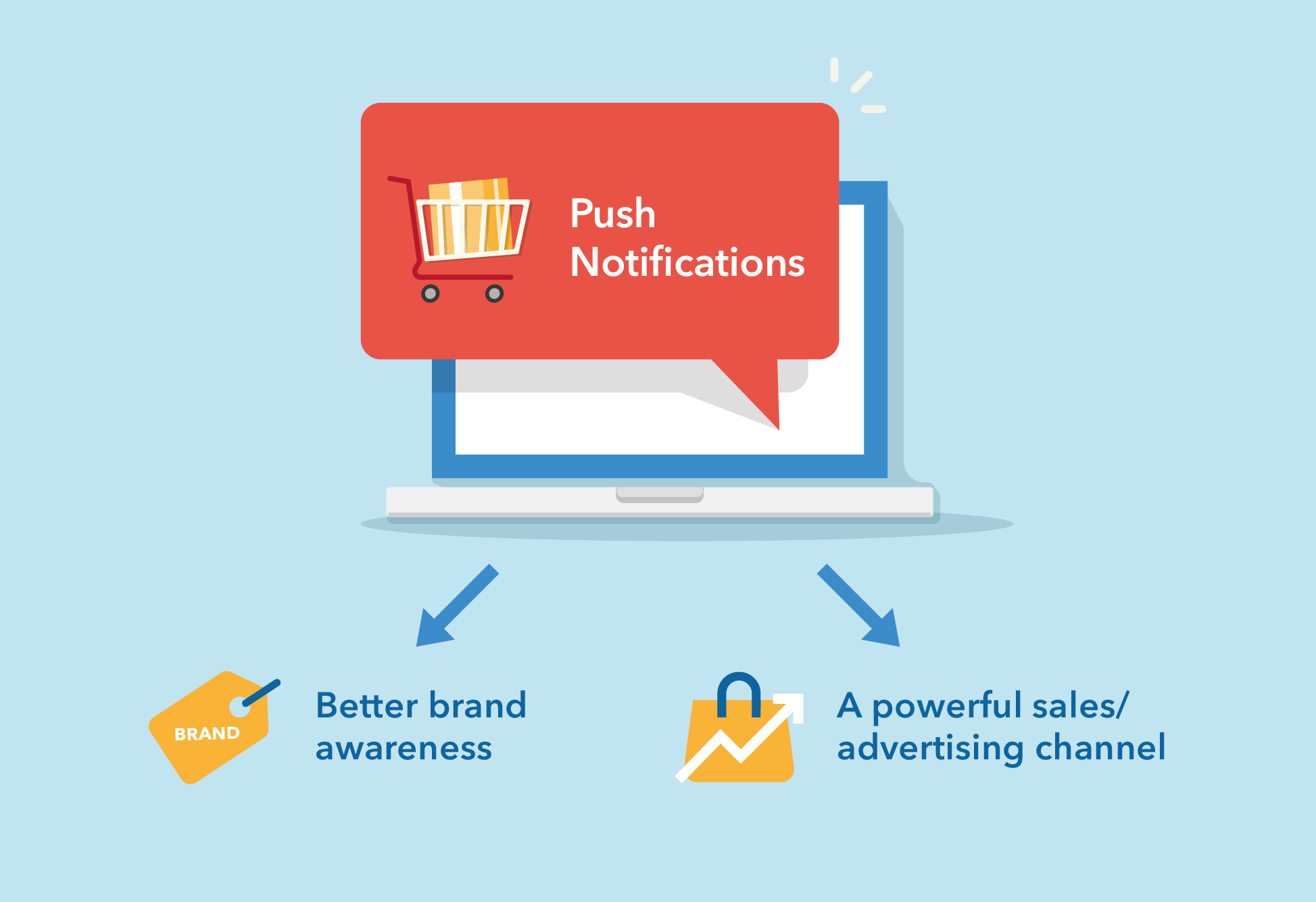
Since a PWA’s icon is added to the home screen, once you send a push notification, the device owner will get reminded of your brand, even if they choose not to open your message.
Push notifications serve as a powerful sales/advertising channel, particularly for eCommerce businesses. According to some estimates, over half of PWA users enable push notifications.
#4: Help Your Customers Feel Safe Thanks to the Enhanced Security Mechanism Provided by PWAs
Security is a very serious matter for any eCommerce. Hackers are all over the place hunting for sensitive user data. To keep them empty-handed, all PWAs use the HTTPS protocol by default. It encodes all user data traveling over the wires. Thus, cybercriminals will never get hold of what they are after.
In addition to HTTPS, PWAs employ Web Bluetooth technology to create a layer of extra protection.
Furthermore, be savvy about back-end security issues and nip them in the bud proactively. For example, you can use an SQL vulnerabilities checker tool to ensure the database that underpins your web app is not exploitable.
Benefits for eCommerce Businesses
When consumers are certain that a site is absolutely secure and their financial or personal data will not get into the wrong hands, they feel confident and will keep returning to purchase more products.
#5: Show Site Visitors Your Catalogs Even When Their Gadgets Are Working in Offline Mode
What makes progressive web applications especially valuable for eCommerce is their ability to display pages with offered products even when users are not online.
That’s a clear edge over regular websites that show a ‘not found’ page when online access is unavailable. The offline browsing mode is achieved through the use of service workers. Those cache the content a visitor has browsed before, making it ready to be served at any time.
Benefits for eCommerce Businesses
Browsing an eCommerce site offline contributes to retaining more customers, who can continue selecting goods to purchase later when they’re online again. This is particularly valuable for markets with poor Internet coverage or slow-speed networks.
#6: Give Your Customers a Better User Experience Thanks to the Fast Loading Speed of a PWA
Fast speed and ideal performance are two of the most important characteristics of an eCommerce website. Who wants to wait for your store to load with so many alternatives around?
After installation, a progressive web app can work as fast or even faster than most applications you can find in an app store. Why? The secret is in an almost ideal caching mechanism that serves visitors pages locally rather than retrieving them from computers somewhere in a different hemisphere.
Benefits for eCommerce Businesses
It should be obvious. A fast, glitch-free eCommerce website is likely to attract and retain more customers, regardless of the method they use to access it. This should positively reflect on sales figures.
#7: Let the Search Engines Find Your PWA Just Like an Ordinary Website
With so many eCommerce solutions fiercely vying with each other to get to the top of search results pages, you must let web crawlers discover your website. Unlike regular iOS or Android apps that don’t expose their data to the outside world, PWAs have all the features of standard websites, retrieving data from databases.
Thus, PWAs are not ignored by Google and the like that index their pages. All you need to do is apply the best SEO practices in the same way you’ve been doing with your regular website.
Benefits for eCommerce Businesses
Consumers get a powerful combination: excellent performance and speed comparable to those iOS and Android applications provide, plus Google-friendliness that websites boast. Your prospects will find your store more easily and convert more frequently.
On a Final Note
PWAs are powerful, Google-backed solutions that can give your eСommerce business a competitive edge over rival stores. By combining the advantages of mobile apps with those of ordinary websites, PWAs provide unrivaled user experience, lightning-fast loading speed, perfect search engine visibility, and bulletproof security for your demanding customers to enjoy. They are easy and quick to install and comparatively cheap to build.
An increasing number of eСommerce business owners have come to realize the great value of PWAs, with numerous companies reporting higher conversion rates after trying the new technology (examples).
It’s true that PWAs are more challenging to build than ordinary mobile websites. Not only must developers know the essential web technologies, but they must also be experts in using service workers and JavaScript frameworks plus be familiar with the restrictions that the Android and iOS platforms impose.
Progressive Web Apps for eCommerce
Fast mobile-first storefronts with strong UX, SEO visibility, and conversion rates
The GetDevDone professionals have all that it takes to create high-quality, fast, visually attractive, and efficient PWAs. We have all the expertise gathered in one central location. We can build a PWA from scratch or enhance your existing e-commerce website with all the powers of the new technology. Just give us your design or share your ideas with us.
Progressive Web Apps FAQs
A PWA is often cheaper than building separate iOS and Android apps, but the exact saving depends on scope. The cost advantage comes from using one web-based codebase instead of separate native teams, separate release tracks, and separate maintenance cycles.
The article mentions that a PWA may be three or four times cheaper than native apps. That can happen in some cases, but it should not be treated as a fixed rule. Savings shrink when the PWA needs complex offline logic, custom checkout behavior, third-party integrations, advanced push workflows, or heavy QA across browsers and devices.
A more practical way to frame it: a PWA can reduce duplicate platform work, but it does not remove planning, architecture, testing, analytics setup, or post-launch maintenance. Cheap PWA development usually becomes expensive later if caching, checkout, or SEO behavior is handled casually.
PWA development is more complex because it adds application behavior to a website that still has to work as a searchable, maintainable e-commerce store. Developers are not only building pages. They are also deciding what gets cached, how updates reach users, what happens offline, how installability works, and how the app behaves across browsers.
In e-commerce, small mistakes can create real business problems. A cached product page may show outdated prices. A cart may behave differently online and offline. A checkout flow may fail after a service worker update. Analytics events may be missed if the PWA queues actions badly.
This is why PWA work needs stronger staging and QA than a standard responsive build. For agencies, the handoff should define browser support, cached content rules, product data freshness, checkout limits, SEO rendering, analytics, and rollback steps before development starts. GetDevDone usually treats this kind of work aseCommerce web development with architecture and QA requirements, not as a simple front-end enhancement.
Offline browsing in a PWA works by using a service worker to serve selected files, pages, and data from local cache when the network is unavailable. In an e-commerce store, this usually means users can reopen previously visited pages, browse cached product information, view saved assets, or continue part of a shopping journey with limited functionality.
Offline does not automatically mean the whole store works without internet. Real-time pricing, inventory checks, account data, payment processing, shipping calculations, and order submission usually need a live connection. Some stores can allow offline cart changes or wishlist actions, but those actions must be synced and validated when the user reconnects.
The safest expectation is this: a PWA can make product discovery and repeat browsing more resilient, but checkout and business-critical data should be designed as online-dependent unless the project explicitly supports offline transaction logic.
Yes, a PWA can hurt e-commerce SEO if the implementation hides important content from crawlers, creates weak URLs, or lets service-worker behavior interfere with indexable pages.
The risk is highest when a PWA behaves like a JavaScript app shell and product content appears only after client-side rendering. Google can process JavaScript, but that does not make every setup safe. Product URLs still need crawlable links, indexable content, correct titles and meta data, canonicals, structured data where relevant, and stable server responses. Performance also matters, because a slow PWA is not a SEO upgrade just because it is installable.
For agency delivery, the SEO checks should be part of staging QA, not a post-launch fix. GetDevDone would normally look at rendered HTML, crawl behavior, service worker scope, cached responses, metadata, internal links, andwebsite performance before treating a PWA as launch-ready.
An agency should check whether the client has a real PWA use case, not just interest in the term. A PWA is easier to justify when the store has repeat mobile visitors, large catalogs, slow-network users, loyalty flows, mobile conversion issues, or a need for app-like access without maintaining two native apps.
Before recommending it, check:
what users actually need offline or semi-offline
whether push notifications have a clear use case
how checkout, cart, pricing, and inventory will behave
whether the current platform supports the required front-end changes
how SEO, analytics, consent, and tracking will be preserved
what browsers and devices matter for the client’s audience
who maintains the service worker, cache rules, and updates after launch
For agencies, the main risk is overselling the idea before the delivery constraints are known. A PWA recommendation should come after technical discovery, not before it.
Adding PWA features to an existing e-commerce store can take a few weeks for a limited enhancement, but larger PWA work can turn into a multi-month front-end project.
A scoped upgrade, such as a manifest, installability, basic service worker setup, selected asset caching, and limited offline fallback, may fit into roughly 3 to 8 weeks on a clean, modern codebase. A fuller e-commerce PWA with offline catalog logic, cart sync, push workflows, performance work, analytics, SEO validation, and cross-device QA can take 2 to 4 months or more.
The biggest timeline drivers are not the PWA labels themselves. They are the condition of the existing front end, platform constraints, checkout complexity, product data structure, third-party scripts, and how much regression testing the store needs before launch.
Yes, a PWA is still worth considering for e-commerce in 2026, but it should be treated as a fit-based architecture choice rather than a default upgrade for every store.
PWAs remain useful because they combine the reach of the web with selected app-like behavior: installability, caching, faster repeat loading, offline-tolerant browsing, and push notifications where supported. They are especially relevant for stores with strong mobile usage, repeat buyers, large catalogs, or markets where network quality varies.
The older “PWA replaces native apps” framing is too broad. In 2026, the better framing is more specific: a PWA is worth considering when the mobile web is already business-critical and the store needs app-like convenience without splitting product, SEO, and maintenance across separate native apps. If the client needs deep native capabilities or app-store-first distribution, a native app may still be the stronger choice.
Have you heard about headless WordPress and wonder if it's just another tech trend or a real game-changer for your project? Our comprehensive guide dives deep, providing first-hand insights and real-world perspectives.