

- Guide, Website development services
- 11 min read
Website development process by GetDevDone: 6 steps from request to launch
Website development process from discovery to launch: planning, design, development, QA, deployment, and ongoing support.
First-hand experience with Consent Management Platforms (CMPs), and how to find the best fit for your business.

TL;DR
Consent Management Platforms are the practical choice for most small websites because they provide consent management features that are more cost-effective than building and maintaining a custom solution.
Consent management is no longer a checkbox exercise to be set up during website development process. As privacy expectations rise and regulations tighten, how you collect and manage user consent directly affects trust, compliance, and brand credibility.
A basic cookie banner is no longer enough, even though many sites still rely on it. Today’s consent management needs to handle real technical and legal complexity, from granular user choices to auditability and regional compliance requirements.:
Given this complex scenario, website owners essentially have two options at their disposal:
For new and relatively small websites, using the second option is an ideal choice, since creating a custom cookie management solution from scratch and maintaining it regularly would likely be more costly.
Therefore, in this post, we’ll delve into CMPs, discussing their advantages and key characteristics. We’ll also take a close look at some CMPs available in the market. Let’s get started.

First off, let’s discuss essential features that every consent management platform worthy of this name should possess.
A key aspect of any CMP is a clear, easy-to-understand interface where users can make informed decisions about their data. The platform should clearly explain what data is being collected and why, and provide straightforward options for users to grant or deny consent.
A robust CMP should be designed to help your organization comply with various international privacy laws like GDPR, CCPA, and others. It should handle user data in a way that respects these laws, reducing the risk of non-compliance penalties.
Users should have the ability to give or withhold consent, not just on a general level, but for specific types of data collection or processing activities. A good CMP will offer granular consent options, allowing users to customize their privacy preferences.
To ensure accountability and transparency, a CMP should keep a record of when and how consent was obtained from each user. This audit trail can be crucial in demonstrating compliance in case of audits or disputes.
One of the most important characteristics of a CMP is support for Google Consent Mode (GCM). GCM is like a switchboard that controls when and how certain data-collecting tools on a website can operate. It’s designed to work with the user’s consent choices, meaning it respects whether a visitor agrees or disagrees to share their browsing data.
Imagine you visit a website and a pop-up appears asking if you’re okay with sharing your data. If you agree, GCM will enable all the data-collecting tools, allowing the website to gather insights about your visit. If you disagree, Google Consent Mode adjusts how Google tags behave based on that choice. Depending on the implementation, Google tools may receive limited cookieless signals instead of full cookie-based tracking, which can help with aggregated or modeled reporting while respecting the user’s consent settings.
Why does this matter? Google Consent Mode strikes a balance between respecting user privacy and enabling businesses to make informed decisions. It allows users to browse with peace of mind, knowing their choices are respected, and helps businesses stay within the rules of data collection laws.
In essence, Google Consent Mode is a step toward a more user-friendly internet, where privacy is respected, and trust is valued. It’s a crucial tool in the digital landscape, not just for compliance, but for building stronger, more transparent relationships with users.
The CMP should seamlessly integrate with other systems and platforms you use, such as CRM systems, marketing automation tools, and analytics software.
One of the most important tools that a CMP should be able to leverage is Google Tag Manager (GTM), a free tool developed by Google that allows you to manage and deploy marketing tags (snippets of code or tracking pixels) on your website (or mobile app) without having to modify the code.
Data protection laws and consumer privacy expectations are constantly evolving. Therefore, a good CMP should offer regular updates to stay in line with the latest regulations and best practices.
A good Content Management Platform (CMP) should offer customization options to meet the unique needs of an organization. This includes the ability to tailor the look and feel of the consent interface to match the organization’s branding, customize the content of the privacy policy and other legal documents, and adjust the consent management process according to the specific requirements of the business.
A customizable CMP should provide advanced features as well, such as the ability to manage consent preferences for different user groups or regions, which is crucial for businesses operating in multiple jurisdictions with varying privacy laws.
Last but not least, the cost of a Consent Management Platform is a vital consideration. CMPs come at various price points, depending on factors like the range of features they offer, the level of customer support provided, and the number of users or level of traffic your website receives.
A good CMP should offer a balance of cost-effectiveness and functionality. It’s not just about finding the cheapest option, but rather, finding a platform that offers value for money and aligns with your business’ needs and resources.
There’s no shortage of CMPs available in the market. Probably the most trusted source – Google – recommends a long list of consent management service providers. We’ve carefully reviewed this list and picked several CMPs that we’ve found worth exploring further.
Let’s take a look at them so that you have an idea of their main features and capabilities and, hopefully, choose one for your business needs.
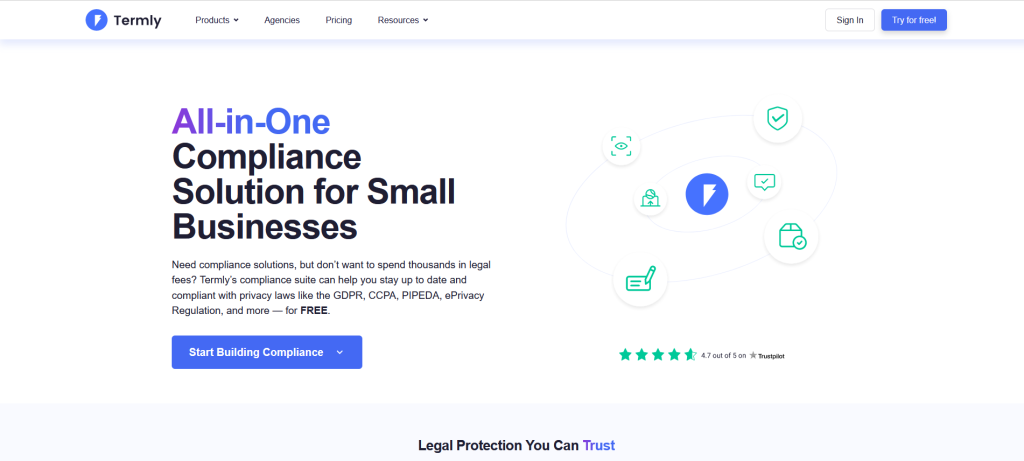
Termly offers an impressive suite of tools aimed at helping businesses navigate the often-complex landscape of data privacy laws.
The platform offers a wide legal coverage, catering to Europe, Canada, the USA, South Africa, Australia, and 20+ more regions. The most prominent privacy laws it ensures compliance with include GDPR, ePrivacy, CCPA, and UK GDPR.
Termly comes with a free custom cookie banner solution for the basic plan customers. You can choose specific colors, display style, fonts, and more. You can also determine the precise positioning of your banner on the page.
Above that, the platform allows you to select multiple languages (English, German, French, Italian, Spanish, Portuguese (BR), Polish, Hungarian, Greek, Finnish, Dutch, Danish, and Swedish). The number of languages you pick is unlimited since they are detected automatically by identifying the user’s IP address.
For all of your visitors, Termly gives you access to automatic consent logs. Additionally, you get a free Data Subject Access Request (DSAR) form that you can embed into your website.
You can set up Google Consent Mode using regional consent settings in the Termly Dashboard or Google Tag Manager template.
Termly’s cookie banner works on any platform or CMS, including WordPress.
Termly features a free plan in addition to three premium options. Those differ in the number of banner views and users, frequency of cookie scans, and in their feature sets.
| Free | Starter | Pro+ | Agency |
| €0 | €9.5 per website / per month | €13.5 per website/month | Custom |
| 10,000/mo. banner views 1 User Quarterly cookie scans | 100,000/mo. banner views 5 Users Monthly cookie scans | Unlimited banner views Unlimited Users Weekly cookie scans | Multi-User permissions Everything in Pro+ and more. |
To learn more about Termly’s pricing plans, click here.
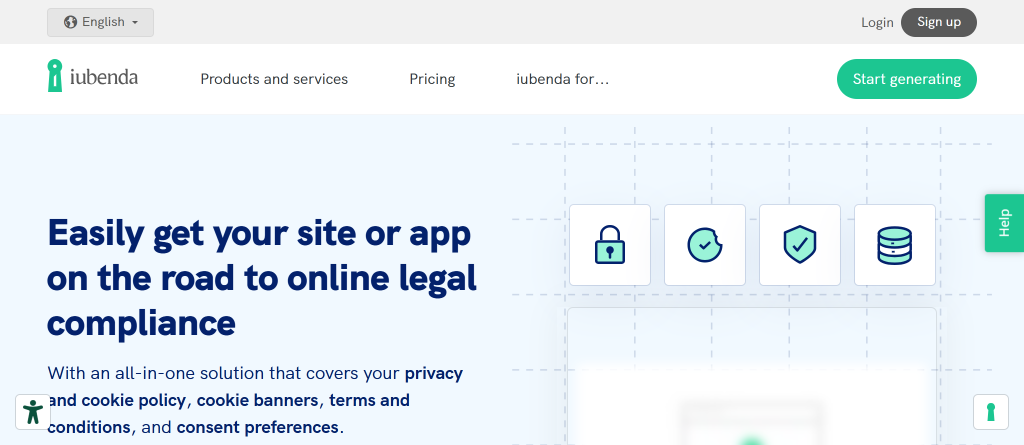
iubenda is a robust CMP that provides a comprehensive suite of tools to assist businesses in maintaining compliance with various data privacy laws.
One of the standout features of iubenda is its expansive legal coverage. The platform caters to several legislations, including GDPR, the US’s CPRA (CCPA amendment), CalOPPA, ePrivacy, Australia’s APPSs, and more.
The provider maintains that they “make every effort to cover every country’s laws by adopting the strictest data privacy guidelines implemented in each country” and “regularly monitor all major global privacy laws.”
Customization is at the heart of iubenda, with the platform offering customizable legal documents and consent management tools.
In particular, their cookie management solution gives you full control over the appearance of your cookie banner. Choose any color, location, or dimensions you want. Add checkboxes or buttons. Change the way the banner behaves. You can also take advantage of some advanced customization options.
All that can be achieved through iubenda’s easy-to-use visual configurator or via CSS for the tech-savvy.
iubenda allows you to record and store the data about your users’ consent choices automatically. More than that. The platform comes with comprehensive consent analytics, which enables you to monitor and optimize your consent collection practices.
iubenda is an official Google CMP Partner. As such, their cookie solution perfectly integrates with Google Consent Mode and Google Tag Manager. That makes privacy management almost effortless.
In addition, iubenda comes equipped with cookie consent plugins for multiple CMSs and e-commerce systems, including WordPress, Joomla!, PrestaShop, and Magento.
iubenda comes with three pricing options, which differ in the number of available page views and feature sets:
| Essentials | Advanced | Ultimate |
| 5.99$ per site/app, per month when billed annually | 24.99$ per site/app, per month when billed annually | 99.99$ per site/app, per month when billed annually |
| Up to 25,000 page views/month included + $0.06 per 1000 extra page views | Up to 50,000 page views/month included + $0.06 per 1000 extra page views | Up to 150,000 page views/month included + $0.06 per 1000 extra page views |
For more details on the iubenda pricing plans, visit this page.
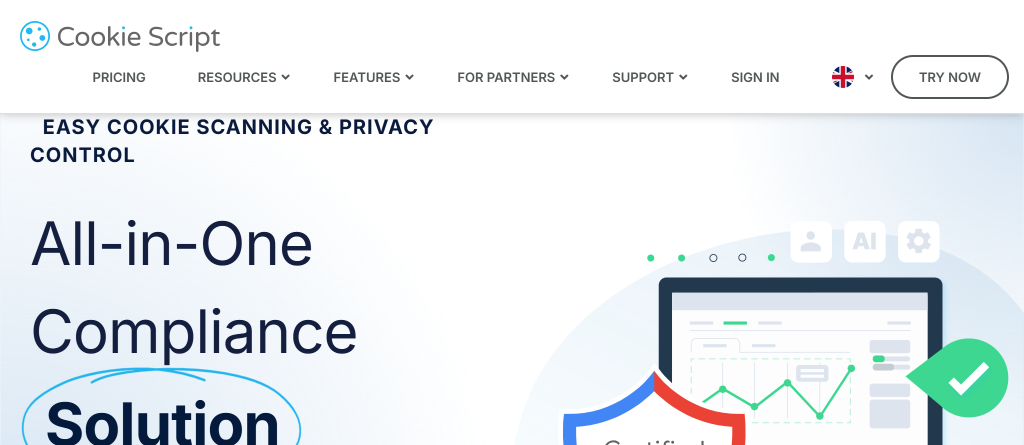
Cookie Script is a robust consent management platform that has been available to businesses for almost a decade now. It is trusted by over 150,000 websites and boasts a 100,000+ cookie database.
When compared to the other platforms we’ve reviewed in this post, Cookie Script’s legal coverage is less extensive, although it does cater to important states and regions across the globe:
Cookie Script offers a fully customizable cookie pop-up banner with four layouts to choose from and a wide array of settings. Premium subscribers can change every pop-up element, including colors to match the look and feel of their website. You can also indicate the exact position of the pop-up on the page.
Additionally, display the banner in one of 34 available languages to your visitors from different regions and countries.
Installing the banner is as simple as just inserting a one-line code snippet into the HTML of your website.
Cookie Script enables you to gather, record, and download website users’ cookie consent as a ZIP archive with CSV files inside. Each of the CSV files contains a list with the following details:
None of the data in the list is private, meaning that no special consent from the user to use Cookie Script is required.
Cookie Script supports Google Consent Mode once you’ve registered and created a cookie banner.
The platform also integrates seamlessly with popular content management systems, e-commerce solutions, and marketing tools:
Cookie Script features a free plan for small websites with a simple cookie consent banner. There are also three premium plans, starting at €8 a month. They differ in the cost of a domain, number of page views, number of pages scanned per domain, and other features.
| Free | Lite | Standard | Plus |
| €0 | €8 / month | €15 / month | €19 / month |
| 10 pages scanned per domain 20.000 monthly page views | 4.00 € per domain (included) 100 pages scanned per domain Unlimited monthly page views | 7.50 € per domain (included) 1000 pages scanned per domain Unlimited monthly page views | 9.50 € per domain (included) 3000 pages scanned per domain Unlimited monthly pageviews |
All plans include:
Find more information on Cookie Script’s pricing here.
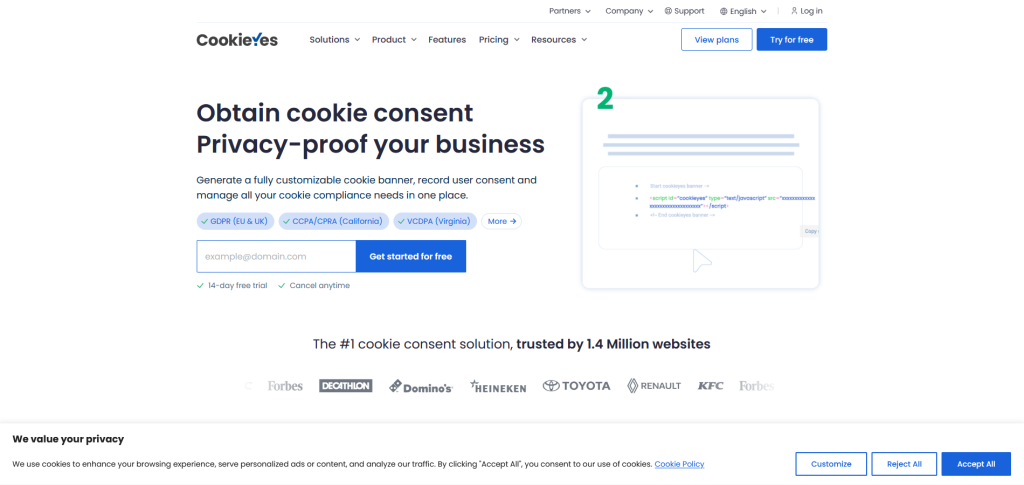
CookieYes is a comprehensive platform trusted by over 1.4 million websites worldwide for managing cookie consent and ensuring compliance with various data privacy laws.
The platform ensures broad coverage of privacy laws across states, countries, regions, and continents:
With such extensive compliance coverage, businesses can confidently navigate the global market without the threat of legal consequences.
CookieYes offers a fully customizable cookie banner. You can use a unique layout, design, and text. Businesses that operate around the world can display the cookie banner in any of 30+ available languages.
The banner also comes with granular control. It automatically blocks third-party cookies before user consent is given and sets cookies according to user preferences.
With that being said, the level of customization depends on the pricing plan you choose. Premium plan customers can take advantage of some exciting advanced features, such as geo-targeting the banner for specific locations, auto-translating the banner into the user’s language, scanning cookies behind login, and even replacing the CookieYes branding.
Adding the banner to your website is child’s play. All you need to do is copy and paste the banner code into the HTML of your website, and the banner will instantly appear on the page.
With CookieYes, automating your cookie consent management is easy and trouble-free. You can regularly scan your website for an up-to-date cookie list (the frequency varies from plan to plan), record user consent logs for proof of consent, and generate a custom cookie and privacy policy.
CookieYes is one of the best consent management platforms as far as integration with third-party tools is concerned. It works seamlessly with these CMSs and e-commerce solutions:
The platform also supports Google Consent Mode and integrates with Google Tag Manager.
CookieYes offers a free plan and three premium plans with progressively richer feature sets.
| Free | Basic | Pro | Ultimate |
| $0 /month /domain | $10/month /domain | $20 /month /domain | $40/month /domain |
| 100 pages per scan 25,000 page views | 100 pages per scan 25,000 page views | 4,000 pages per scan 300,000 page views | 8,000 pages per scan Unlimited page views |
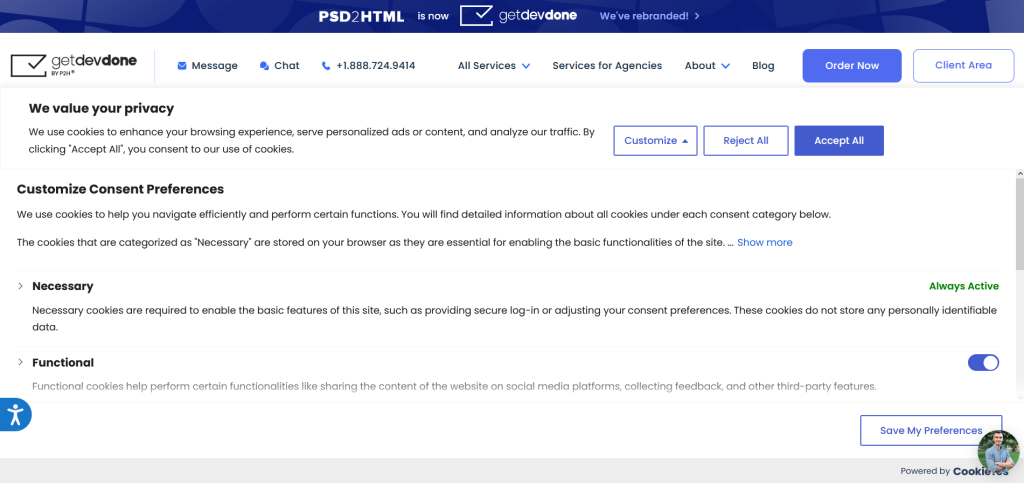
After careful consideration and testing of various consent management platforms, we decided to implement CookieYes as our preferred solution.
Our decision was influenced by several factors:
Based on our positive experience with CookieYes, we highly recommend it to other businesses seeking an efficient and reliable consent management platform. Its robust features, ease of use, and comprehensive coverage of data privacy regulations make it a valuable tool for any company looking to streamline their digital consent management processes.
When choosing a CMP, the first thing you should consider is your specific business needs and requirements. The majority of the platforms, including those we have reviewed in this post, offer basic customization options and consent log functionality.
That’s why the table below only contains several criteria that we find crucial. Hopefully, that will facilitate your search for the perfect consent management platform.
| iubenda | Termly | Cookie Script | CookieYes | |
| Free plan | No | Yes 10,000/mo. banner views Quarterly cookie scans | Yes 10 pages scanned / domain 20,000 page views | Yes 100 pages per scan 25,000 page views |
| Pricing (per month) | Starts at 5.99$ | Starts at 5.99$ | Starts at €8 | Starts at $10 |
| Google Consent Mode Support | Yes | Yes | Yes | Yes |
A simple “we use cookies” notice is usually not enough for a business website that runs analytics, ads, remarketing, embedded media, or other non-essential tracking. In many cases, visitors need a real choice, not only a notification: accept, reject, customize categories, and change preferences later.
The practical issue is not the banner itself. It is whether the website blocks or adjusts non-essential scripts until the right consent state exists, keeps consent records, and handles different regions correctly. A small brochure site with only essential cookies may have a simpler setup. A site using GA4, Google Ads, Meta Pixel, CRM forms, chat widgets, or embedded third-party tools needs a more controlled consent setup.
A small business should usually use a CMP when it needs reliable cookie consent, script blocking, consent logs, and regular compliance updates without maintaining all of that as custom code. A custom solution can make sense for unusual legal, product, or platform requirements, but it is rarely the most efficient starting point for a normal business website.
The hidden cost of a custom cookie consent setup is maintenance. Someone has to update cookie categories, adapt to new consent requirements, check third-party scripts, fix tag behavior after marketing changes, and keep the consent record usable. For most small websites, a CMP is cheaper and safer because the product already covers scanning, banner controls, logs, integrations, and updates.
Custom work becomes more realistic when the website has complex app-like behavior, unusual tracking flows, multiple properties, or strict internal compliance rules that a standard CMP cannot handle cleanly.
The most important CMP features are the ones that affect consent accuracy, implementation, and future maintenance. A low-cost banner is not enough if it cannot correctly manage scripts, regions, consent records, and marketing tags.
Prioritize these features first:
Customization matters too, but it should not outweigh technical fit. A beautiful banner that fires analytics before consent is still a bad implementation.
Google Consent Mode is important because it connects the user’s cookie choice with how Google tags behave on the website. Instead of treating the banner and tracking setup as separate pieces, Consent Mode lets GA4, Google Ads, and related tags adjust behavior based on consent status.
This matters most for businesses that rely on GA4, Google Ads, conversion tracking, remarketing, or campaign reporting. Without a proper Consent Mode setup, tracking can become either too aggressive from a privacy perspective or too limited from a reporting perspective.
Consent Mode is not a replacement for a consent banner, and it does not solve legal compliance by itself. It is the technical layer that helps Google tags respond to the consent choice collected by the CMP.
A CMP can help reduce analytics data loss, but it should not be described as preserving all data after users reject cookies. The more accurate view is this: a CMP integrated with Google Consent Mode can pass consent signals to Google, and Google may use cookieless signals and modeling where the setup and data thresholds allow it.
For marketing teams and agencies, that distinction matters. Consent Mode can make reporting less blind, but it will not recreate the same user-level analytics you would have with full consent. Expect modeled data, partial reporting, and threshold limits in some accounts.
In implementation work, the key check is whether GA4, Google Ads, GTM tags, pixels, and third-party scripts actually respect the selected consent state. A banner that looks correct but lets tags fire too early can create both reporting noise and compliance risk.
A CMP for a small website can often start with a free plan or a low-cost paid plan, but the real price depends on traffic, scan limits, domains, languages, and advanced features. Free plans are usually limited by monthly pageviews, number of scanned pages, branding, customization, or support.
For a small business website, the first paid tier is often enough when the site has one domain, moderate traffic, basic language needs, and a standard GA4 or Google Ads setup. Costs increase when the site needs geo-targeting, auto-translation, frequent scans, multiple users, multiple domains, IAB TCF support, or higher pageview limits.
The practical rule is simple: do not choose only by monthly price. Check whether the plan covers the site’s real traffic, scan depth, integrations, and consent log needs. Otherwise, the cheaper plan can become a setup bottleneck.
A CMP implementation can go wrong when the banner is added but the scripts behind it are not controlled correctly. The visible popup may work, while analytics, ad pixels, chat widgets, video embeds, or CRM scripts still fire before the visitor gives consent.
Common problems include:
For existing websites, implementation should include a script inventory, GTM review, staging tests, browser checks, and post-launch validation. This is where a normal implementation QA process matters more than the CMP brand name.
Multilingual or international websites usually need a more careful consent setup, not necessarily a completely different CMP. The platform must be able to show the right banner text, cookie categories, and consent options for the user’s language and region.
The main risk is using one generic banner for every visitor. A site serving users in the EU, UK, US states, Canada, Brazil, or other regions may face different consent expectations and disclosure requirements. A multilingual website also needs consent text that matches the user’s selected language, not only the site’s default language.
For agencies managing international client sites, this should be handled during setup, not after launch. Region rules, translations, cookie categories, and legal-policy links should be checked before the CMP goes live.
After choosing a CMP, the business should treat implementation as a small technical project, not just a copy-paste banner task. The next step is to connect the CMP to the actual scripts, tags, tools, and policies used by the website.
A practical rollout usually includes:
For agencies, the handoff should also define who owns future changes. If a client adds a new pixel, chat tool, CRM script, or embedded widget later, the consent setup may need to be updated. A white-label web development partner can help with the technical setup, but the tracking requirements still need to be clear before deployment.
Website development process from discovery to launch: planning, design, development, QA, deployment, and ongoing support.

Compare icon fonts vs SVG icons to choose the best option for website performance, scalability, accessibility, and design flexibility.

GetDevDone's ranking of top 5 headless WordPress eCommerce platforms for performance, content scale and customer experience.