
background

Figma to HTML services

Figma to HTML services that produce hand-coded, visually exact, and responsive sites with built-in QA, accessibility support, and optimized load times.
Let's Discuss Your Project

Challenges we solve with responsive Figma to HTML services

When a finalized design meets a tight launch date and a stretched dev queue, Figma-to-HTML services with GetDevDone cover design-faithful markup, responsive behavior, QA, speed optimization, and handoff-ready code.
01
Your front-end team is already at capacity
Figma to HTML services add delivery capacity behind the scenes, without extra resources or slowing the review process
02
The deadlines don’t leave room for a rebuild
A structured file review before build start surfaces missing states and gaps while they’re still inexpensive to fix
03
Mobile & tablet states are thin or missing
Responsive Figma-to-HTML conversion services define breakpoints and behavior with your team before any code gets written
04
Design specs shift between review rounds
Version-tracked builds and a single point of contact keep changes contained instead of spreading through the codebase
05
Rendering breaks in Safari, older Edge, or specific devices
Cross-browser and cross-device QA catches inconsistencies before launch, not after the end users open the page
06
Exported markup is too heavy or unstructured to hand off
Semantic, documented HTML/CSS/JS replaces div-heavy exports with code your team can maintain
Turn your next design into an accurate, live, and tested build
Order now

Figma to HTML conversion services by GetDevDone

Figma designs, converted into clean, semantic, and responsive production-ready code using Tailwind, React, Bootstrap, or vanilla HTML/CSS.

Figma design review

Figma files analyzed for future accurate conversion, including responsive layouts, UI states, interactions, assets, and any implementation gaps
  • Desktop, tablet, mobile layouts
  • Missing & edge-case states
  • Assets, fonts, design components
  • Interaction & responsive behavior

Responsive Figma to HTML/CSS conversion

Figma designs converted into clean, responsive HTML and CSS that precisely reproduces the approved layouts across screen sizes
  • Semantic HTML
  • Maintainable CSS
  • Responsive layouts /breakpoints
  • Accurate typography, spacing, grids
  • Reusable markup for repeated UI patterns

Interactive states & JavaScript

JavaScript implementation for interactions and dynamic UI behavior included in the approved design
  • Hover, focus, active, disabled states
  • Navigation & menus
  • Tabs, accordions, modals, sliders
  • Forms & client-side validation
  • Animations & transitions when scoped

Accessibility-aware HTML

Design-to-front-end conversion with built-in semantic markup and accessible interaction patterns
  • Semantic HTML structure
  • Keyboard-accessible controls
  • Logical focus behavior
  • Form labels/ accessible controls
  • Alt-text implementation when supplied or scoped

Performance-conscious front-end

Responsive HTML/CSS/jQuery, and assets structured to avoid unnecessary front-end weight and common rendering overhead
  • Lean HTML, CSS, JavaScript
  • Optimized image/ asset implementation
  • Reduced unnecessary scripts/ styles
  • Performance checks when scoped

CMS-ready HTML

Front-end markup prepared for subsequent integration into WordPress, HubSpot, Drupal, or another agreed CMS
  • Template-ready HTML
  • Reusable content sections
  • CMS-friendly markup structure
  • Integration-ready front-end files

Front-end QA

Converted pages tested for visual accuracy, responsive behavior, browser compatibility, and interaction issues
  • Visual QA against approved Figma designs
  • Responsive testing
  • Cross-browser testing
  • Interaction & state testing
  • Accessibility checks

Handoff & documentation

Organized front-end files and implementation information prepared for the team responsible for CMS, back-end, or further development
  • Organized HTML, CSS, JavaScript, assets
  • Version-controlled code when scoped
  • Implementation notes
  • Documented open items/dependencies
Figma to HTML conversion services that protect your launch schedule
Order now

Benefits of Figma to HTML services with GetDevDone

Keep launches on schedule
Resolve design gaps upfront and avoid late-stage rework that pushes go-live deadlines
Spend less team time on QA and revisions
Receive a validated build instead of sending your team through rounds of browser and device fixes
Make future changes cheaper to handle
Give developers structured, documented code they can extend without rebuilding or reverse-engineering it

Quality standards built into every Figma to HTML service

A finished conversion by GetDevDone is ready for the next stage of delivery without an extra round of front-end cleanup. These are the standards we use to judge the handoff.
Approved design is the reference
The delivered interface is checked against the agreed Figma layouts, including defined responsive behavior and states
No browser-specific surprises
Pages are expected to retain their layout, content hierarchy, and intended interactions across the browsers and screen sizes agreed for the project
Code has to survive the handoff
HTML, CSS, and JavaScript are organized so the next engineer can understand the structure, locate assets, and continue the work without first deciphering the build
Accessibility upfront
Semantic structure, keyboard operation, focus behavior, and other accessibility requirements are built into implementation instead of left for post-build remediation
Open items stay visible
Anything dependent on missing designs, content, third-party systems, CMS integration, or later development is documented at handoff, never buried in the code
Turn your designs into fast, production-ready front-end experiences
Order now

The workflow behind reliable Figma to HTML conversion services

Every design-to-front-end conversion project follows a consistent sequence, adjusted for page count, integration needs, and how the file was handed off.
The Figma file, target browsers, breakpoints, and any integration needs get reviewed before estimation
Missing states, unclear specs, and asset gaps get flagged and resolved with your team before development starts
Breakpoints, reusable components, and interaction behavior get mapped against the actual file without assumptions
The approved design is turned into semantic, responsive markup with the interactions and states the Figma file defines
The build gets tested against the source file across major browsers and device sizes before it's called done
Keyboard navigation, focus order, asset weight, and Lighthouse scores get reviewed ahead of handoff
Documentation, version-controlled code, and an open-item log get delivered, with ongoing support available if you need it

Our work in client stories

How we turn complexity into real-world solutions for our clients.
blog article preview
Digital product
From Figma concept to live experience
GetDevDone turned LoveGenius’s Figma design into a responsive, interactive landing page for a consistent experience across devices.
image
Global creative platform
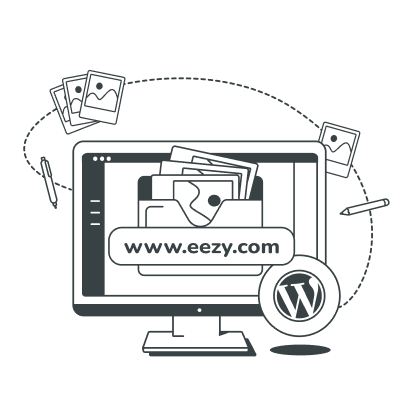
Eezy’s Designs Become a Working Website
Custom front-end development, interactive effects, and tailored functionality revealed the full potential of Eezy’s approved designs and turned them into an engaging website.

Our insights

Practical analysis, direct thinking, clearly explained.
image
Insights
June 3rd, 2026
PSD to HTML or Figma to HTML: How agencies should choose based on workflow, timelines, and QA load
blog article preview
Insights
May 28th, 2026
Choosing PSD-to-HTML conversion service: A pre-contract checklist for risk, scope, and delivery control
blog article preview
Guide
May 22nd, 2026
Figma to WordPress: 3 Key Methods to Convert Your Design Into a Functional Website
image
Tutorial
January 20th, 2026
How to Convert Figma to HTML Code: A Beginner’s Guide
04/06

Tell us
where you
need help

Share your Figma file and get a line-item
quote with timeline and deliverables.

Let’s discuss your project

Drop files here to upload or
    By submitting your request, you agree to our Terms & Conditions, accept our Privacy Policy, and consent to the processing of your personal data.

    Figma to HTML
    services FAQs

    GetDevDone works as a white-label website development company: reviewing the design handoff, building responsive HTML/CSS/JS, testing across devices, and preparing a clean handoff, all inside your process.
    Yes, when the goal is lightweight, responsive, production-ready front-end code rather than a full CMS or framework build. Figma to HTML conversion services remain the right call for landing pages, static templates, prototypes, and front-end layers that connect to another system afterward.
    Accuracy depends on what the file actually contains. A Figma file with clear layouts, states, typography, and responsive frames converts with high fidelity; gaps in mobile states, hover behavior, or edge cases need to get resolved before the build starts, not guessed at during it. That review is part of the service.
    Use Figma-to-HTML services when your designs are approved, but your team needs additional front-end capacity to turn them into a responsive, launch-ready website. This is useful for new websites, landing pages, redesigns, or time-sensitive releases that require consistent layouts across desktop, tablet, and mobile screens. A provider can also handle the implementation and browser testing, helping your team move from final design files to a usable web experience without delaying the launch.
    Yes. Responsive Figma to HTML services cover desktop, tablet, and mobile behavior whenever the Figma file defines the breakpoints and rules for each one. Where a frame is missing, the responsive logic is agreed with the client before implementation instead of being improvised afterward.
    Tools like Figma's Dev Mode and code-export plugins are genuinely useful for prototyping and design inspection, but production work still needs a developer to handle semantic structure, real responsive decisions, accessibility, and QA — the parts an automated export can't reliably get right on its own.
    Timeline depends on page count, design complexity, the number of responsive states and interactions, and how many revision rounds are built into the plan. Projects move fastest when the Figma file is clean, states are defined, assets are exported, and one person owns feedback.
    Cost tracks with template count, animation and interaction complexity, responsive scope, code standards, QA depth, and whether CMS or framework integration is included. GetDevDone quotes after reviewing the actual file, the target format, and the timeline, not off a flat per-page rate.
    QA covers visual comparison against the Figma file, responsive behavior across breakpoints, testing on major browsers and devices, interaction checks, a baseline accessibility review, and a performance pass.
    Yes. HTML and CSS from a Figma-to-HTML conversion can be structured for CMS integration when that requirement is flagged upfront. Static conversion and CMS implementation are scoped and estimated as separate pieces of work rather than bundled by default.
    The Figma file, responsive frames, any style guide or design-system notes, exported assets, fonts, interaction and form-behavior notes, target browsers, your deadline, and any integration requirements. The more complete that handoff, the fewer questions come up mid-build and the less risk of late revisions.
    When the real need is a full CMS build, an ecommerce storefront, a complex web application, backend logic, or a native mobile app. In those cases, the project belongs with website development, eCommerce engineering, or component-based front-end work instead of a standalone conversion.