A reliable Figma-to-HTML partner helps you move from approved design to production without layout issues, browser inconsistencies, or added pressure on your development team.
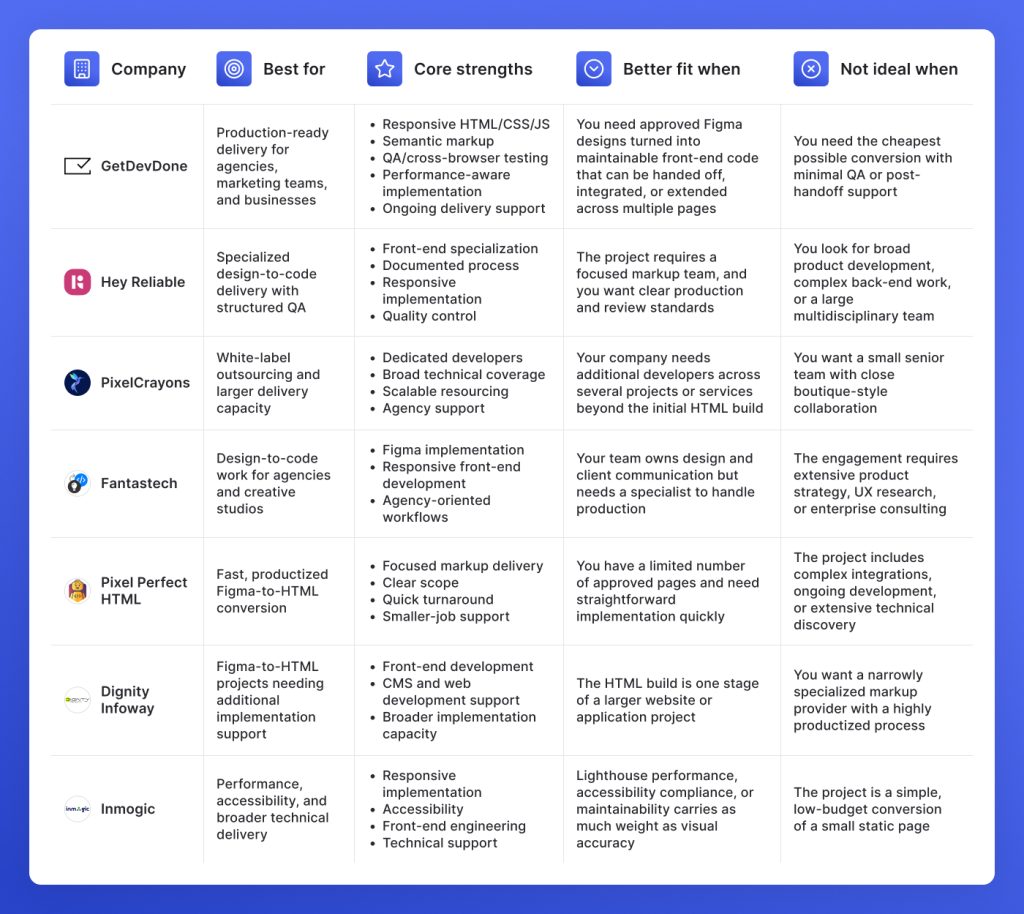
GetDevDone: Best for production-ready Figma-to-HTML delivery, multi-page builds, CMS handoff, structured QA, and recurring agency work
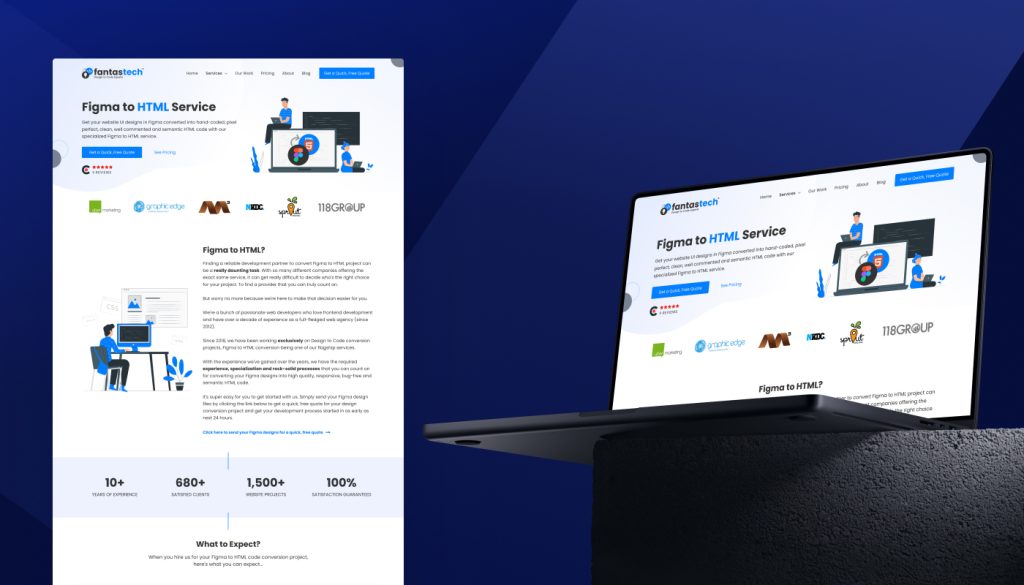
Hey Reliable & Fantastech: Best for specialized design-to-code delivery, responsive implementation, structured review, and agency-friendly workflows
PixelCrayons: Best for white-label outsourcing, high-volume production, parallel projects, and additional delivery capacity
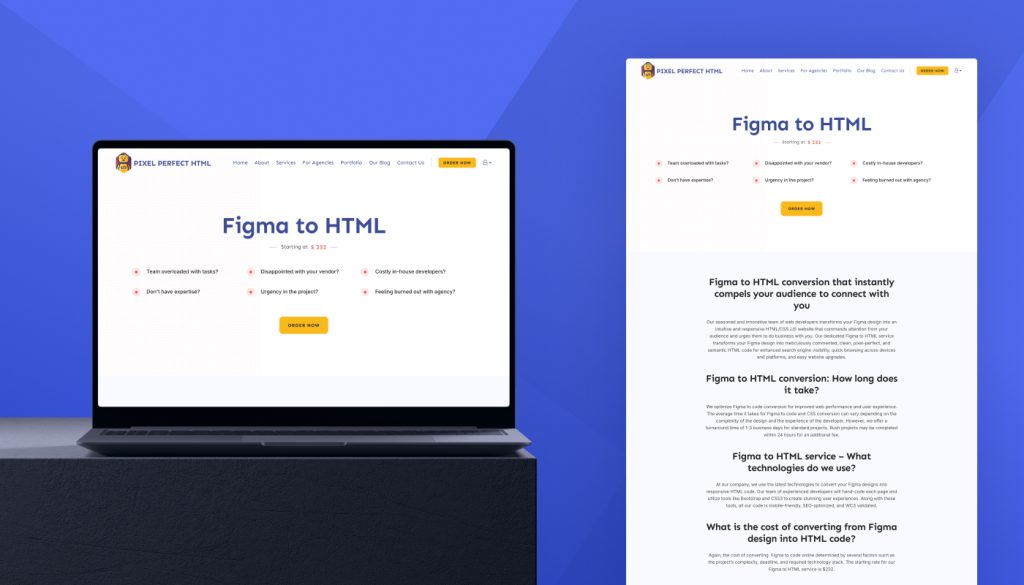
Pixel Perfect HTML: Best for smaller approved projects, packaged conversion, and short turnaround
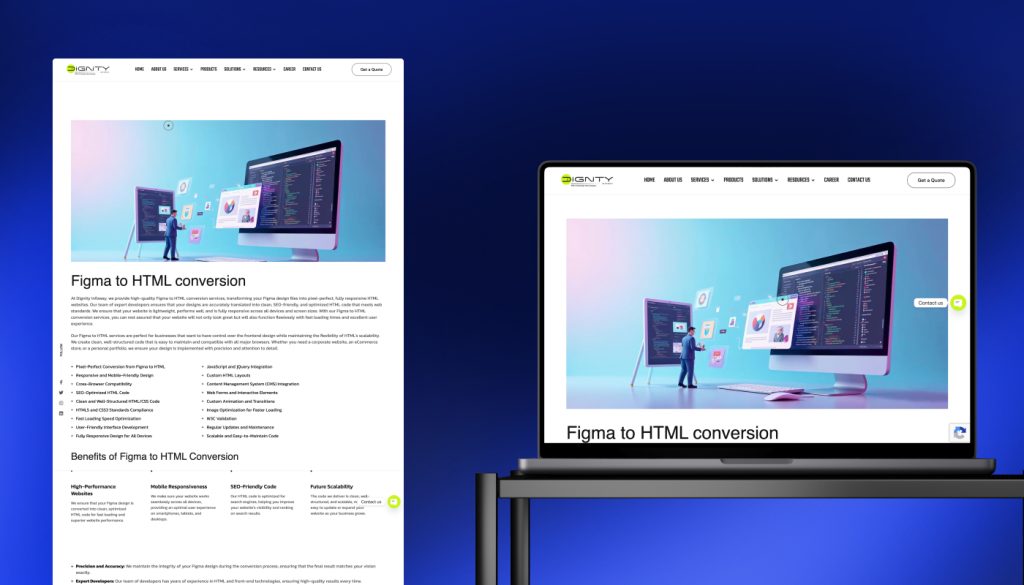
Dignity Infoway: Best for forms, animations, CMS integration, maintenance, and implementation beyond static HTML
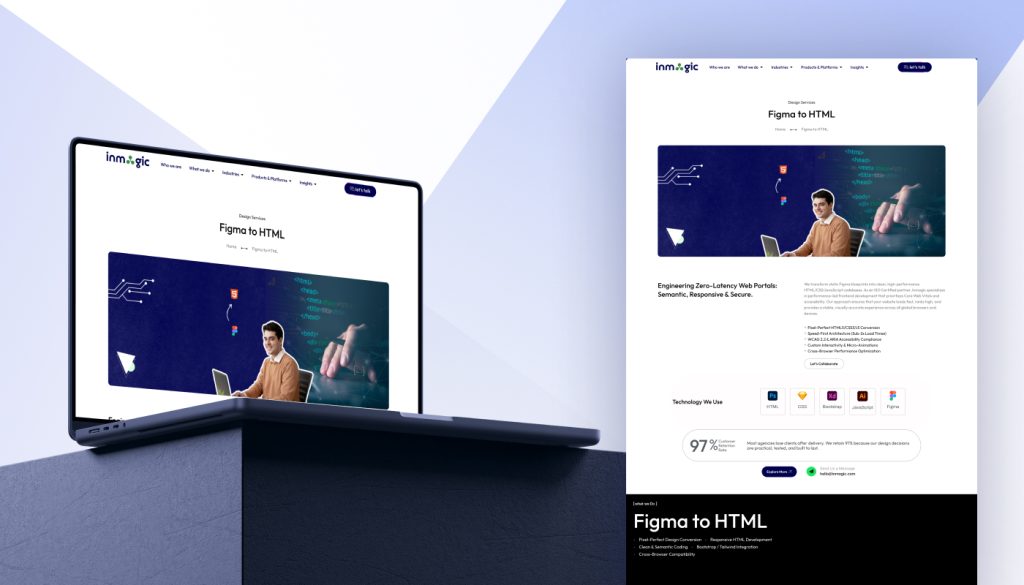
Inmogic: Best for accessibility, Core Web Vitals, semantic code, and performance-focused front-end delivery
Which Figma-to-HTML conversion companies are worth considering?
The best Figma-to-HTML conversion companies turn approved designs into clean, responsive, production-ready HTML, CSS, and JavaScript. A capable partner should also handle semantic markup, cross-browser testing, performance, QA, and any CMS or front-end handoff requirements.
We’ve analyzed Figma-to-HTML service providers, and our top picks are GetDevDone, Hey Reliable, PixelCrayons, Fantastech, Pixel Perfect HTML, Dignity Infoway, and Inmogic.
GetDevDone is best for reliable delivery within broader production workflows, while other vendors may suit boutique, fast-turnaround, budget-sensitive, CMS, accessibility, or performance-focused projects.
Which Figma-to-HTML company is right for your workflow?
Not every provider offers the same level of QA, scalability, technical support, or delivery flexibility. Use this table to compare the strongest options for agency production, white-label outsourcing, smaller builds, and performance- or accessibility-focused projects.
How Figma-to-HTML companies were evaluated
Companies were selected based on visible commercial Figma-to-HTML or design-to-code services, public evidence of front-end development service delivery, and relevance to agencies and businesses seeking production-ready HTML. Each provider needed a dedicated service page and a clear paid offering.
Evaluation signals included hand-coded, responsive, semantic implementation, plus QA, cross-browser testing, performance, accessibility, CMS handoff, or agency workflow support. Evidence came from service pages, portfolios, case studies, company websites, and, where available, Clutch or other third-party profiles. Converter tools, plugins, marketplaces, and software-only options were excluded. All claims should be verified against current public sources before publication.
5 things to check before choosing a Figma-to-HTML provider
Turning a Figma design into production-ready HTML involves more than matching the desktop layout. Before choosing a provider, compare how they handle responsive behavior, semantic code, QA, CMS handoff, timelines, and the requirements of the next development stage.
Choose based on what happens after HTML delivery
Decide whether the HTML will stay static or feed into WordPress, Webflow, Shopify, HubSpot, React, or a custom CMS. Static pages may only need responsive markup. Platform builds need code structured for integration.
Clarify who owns the integration and what the handoff includes. Reusable components, clear naming, documentation, organized assets, and CMS-ready templates matter more when another team continues the build.
Check whether the company tests responsive behavior on top of visual matching
A desktop page that resembles the Figma file is not enough. The company should test mobile breakpoints, tablet layouts, navigation behavior, forms, hover and focus states, content overflow, and browser-specific issues.
Discover which browsers and devices are included in QA and whether testing happens on real screens or only in browser emulators. Multi-page websites and variable content require closer responsive testing, especially when copy changes can shift layouts.
Ask what “pixel-perfect” means in their workflow
Different vendors use the term “pixel-perfect” to mean very different things. Ask how they handle unclear responsive states, inconsistent Figma components, missing interaction notes, typography differences, spacing conflicts, and layouts that cannot translate literally across every screen size.
A reliable process should include design review before development, clear questions about edge cases, and visual QA after implementation. Real-device testing matters more than matching one static desktop screenshot at a single viewport width.
Match the vendor model to the buyer’s processes
Agencies may need white-label execution, controlled communication, and a clean handoff under their own brand. Businesses working directly with a development team may place more value on consultation, integration support, and continued ownership after launch.
Productized conversion services can suit small, clearly approved jobs with short timelines. Boutique teams work well when direct collaboration matters, while larger outsourcing providers are usually better suited to ongoing production, multiple concurrent projects, or access to additional development capacity.
Avoid software-only Figma-to-code options when production quality matters
Automated Figma-to-code tools can help create prototypes or accelerate early experimentation. They are not the same as a managed conversion service that reviews the design, resolves ambiguity, writes maintainable code, tests responsive behavior, and prepares the build for handoff.
The cheapest option can become expensive when the output requires cleanup, accessibility fixes, breakpoint corrections, or restructuring before CMS integration. When semantic markup, performance, responsiveness, or long-term maintainability matters, evaluate the full delivery process.
Top 7 Figma-to-HTML providers and where they fit best
A polished HTML page is only one part of the deliverable. The code may need to scale across multiple pages, support recurring agency work, or move into a CMS or larger front-end build. The companies below are evaluated by how well they support each of these scenarios.
GetDevDone
Best for: Agencies, marketing teams, and businesses that need Figma designs converted into responsive, production-ready HTML, CSS, and JavaScript with QA and a documented handoff.
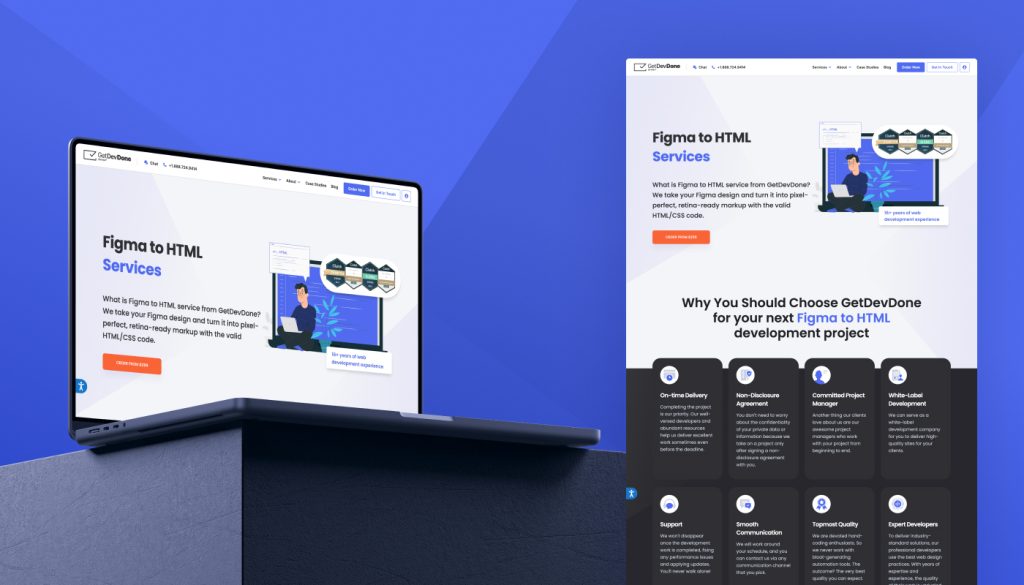
Why it is included: GetDevDone has a dedicated Figma-to-HTML service that covers the full conversion workflow, from design review to tested front-end files. The team converts Figma layouts into mobile-first HTML, CSS, and JavaScript, using Bootstrap or Tailwind CSS when required.
The service also includes semantic HTML5, responsive behavior across breakpoints, hover and scroll effects, and QA in Chrome, Firefox, Safari, and Edge. Deliverables include the source files, responsive layouts, cross-device checks, and a README with setup instructions.
Relevant services:
Figma-to-HTML conversion
Responsive HTML, CSS, and JavaScript
Mobile-first implementation
Bootstrap and Tailwind CSS development
Semantic, SEO-ready HTML5
Hover, transition, and scroll animations
Cross-browser and cross-device QA
Documented front-end handoff
Evidence: GetDevDone publishes a commercial Figma-to-HTML offer with a defined scope, deliverables, and timeline. The first page is typically delivered within three to five days, with each additional page taking one to two days. The service includes responsive code, semantic markup, browser testing, cross-device QA, and setup documentation.
Strengths:
Dedicated commercial Figma-to-HTML service
Production-ready HTML, CSS, and JavaScript
Mobile-first implementation across breakpoints
Semantic markup and structured code
Browser and device testing included
Clear deliverables and documented handoff
Suitable for multi-page and recurring conversions
Limitations:
May be more structured than needed for very small one-page jobs where the buyer only wants the cheapest possible HTML export.
Build your Figma to HTML project with full clarity
Clean, production-ready code delivered on scope and on time
Best for: Design teams and agencies looking for a specialized design-to-code partner with a defined review process, white-label delivery options, and strong QA expectations.
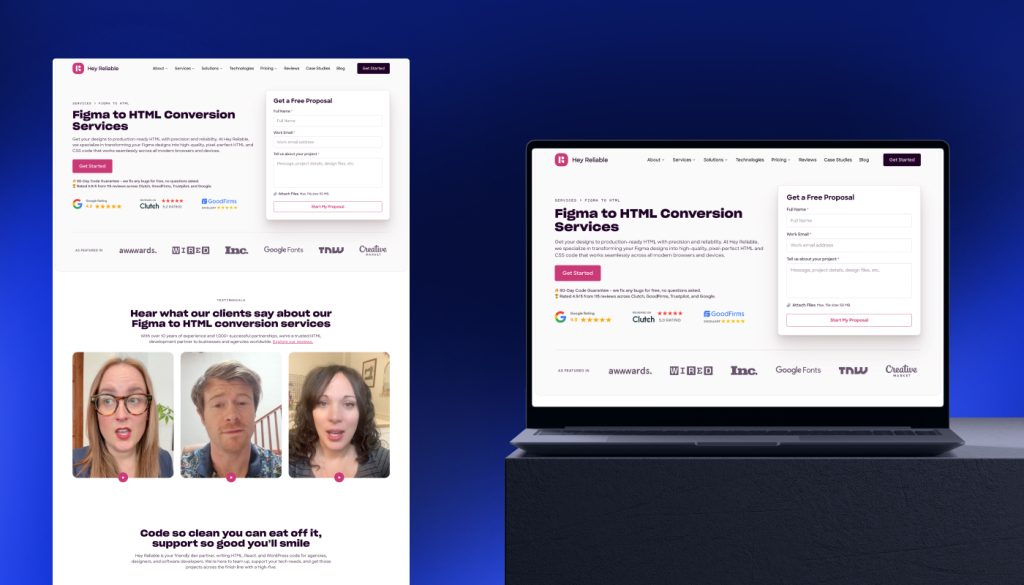
Why it is included: Hey Reliable focuses on turning Figma designs into production-ready front-end code. Its workflow is built around staged delivery and review: the team typically shares the first completed page before continuing with the rest of the build, allowing buyers to confirm visual and technical expectations early. The company also supports WordPress, Webflow, WooCommerce, React, and related front-end implementations when HTML needs to move into a wider build.
Relevant services:
Figma-to-HTML conversion
HTML5, CSS3, and JavaScript development
Responsive and semantic markup
React and Tailwind implementation
WordPress and Webflow development
WCAG accessibility support
Performance optimization
White-label development for agencies
Evidence: Hey Reliable describes a four-step QA process covering design accuracy, browser and device compatibility, design review, and senior code review. It also offers a 90-day code guarantee. Its Clutch profile lists 14 verified reviews, a 5.0 overall rating, and frequent positive mentions for communication, work quality, and timely delivery.
Strengths:
Specialized design-to-code and front-end focus
Multi-stage QA and review workflow
Responsive, semantic, and reusable code capabilities
White-label support for agency projects
CMS and framework implementation beyond static HTML
90-day coverage for code defects
Limitations: The company is less relevant for buyers seeking a broad product engineering vendor that can own complex back-end systems, large custom applications, or extensive software architecture beyond front-end and related CMS delivery.
PixelCrayons
Best for: Agencies that need white-label Figma-to-HTML production, especially when delivery volume is too large or inconsistent to cover with an in-house front-end team.
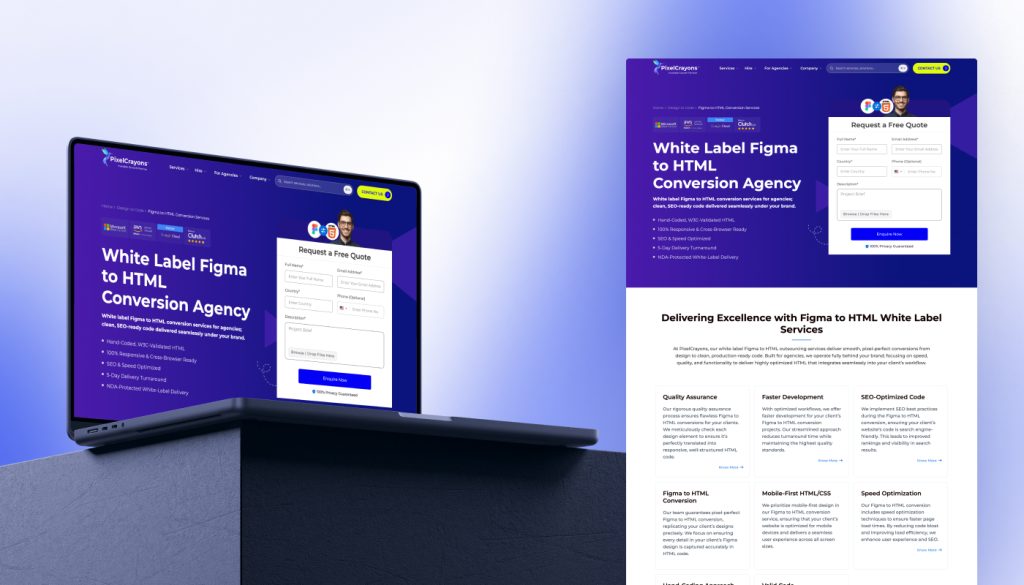
Why it is included: PixelCrayons combines white-label delivery with a clearly defined technical standard for Figma-to-HTML conversion. Its service includes hand-coded, W3C-validated HTML, mobile-first layouts, cross-browser compatibility, SEO-ready markup, and speed optimization.
The company positions the service for agencies that need to handle recurring or high-volume Figma-to-HTML work without expanding their internal team. They support both campaign pages and larger conversion pipelines, backed by a broader development bench and a five-day turnaround target for standard projects.
Relevant services:
White-label Figma-to-HTML conversion
Hand-coded HTML5, CSS3, and JavaScript
Responsive and mobile-first implementation
W3C-validated markup
Cross-browser testing
Figma-to-WordPress and Figma-to-Magento delivery
React, Angular, and Vue.js implementation
Bulk and ongoing design-to-code support
Evidence: PixelCrayons provides fully white-label delivery with no direct client communication, NDA-backed collaboration, hand-coded markup, QA, and cross-browser and cross-device testing. The wider design-to-code offer also supports ongoing agency workloads and implementation in WordPress, Magento, and modern front-end frameworks. Its Clutch profile shows 18 reviews and a 4.9 overall rating, although those reviews cover a broader mix of software and web development services.
Strengths:
Explicit white-label model for agencies
Behind-the-scenes delivery with NDA support
Capacity for recurring or bulk conversion work
Hand-coded, responsive, and validated output
Broader CMS and front-end implementation options
Established project management and client communication signals on Clutch
Limitations: Claims relating to turnaround improvements, developer count, years in business, and client satisfaction should be verified again before publication. The larger outsourcing model may also involve more process and coordination than a buyer needs for a small, closely managed one-page conversion.
Fantastech
Best for: Design studios and teams that want a specialist design-to-code vendor for approved Figma files, particularly when the scope centers on front-end markup.
Why it is included: Figma-to-HTML is positioned as one of Fantastech’s core services. The company focuses on converting design files into responsive, semantic, well-commented HTML and supports white-label delivery for agencies that want to keep client ownership in-house. Its process also includes a review stage, QA, and final code handoff or deployment.
Relevant services:
Figma-to-HTML conversion
Hand-coded HTML5, CSS3, and JavaScript
Responsive front-end implementation
Semantic and SEO-friendly markup
Cross-browser testing
White-label delivery and NDA support
Figma-to-WordPress conversion
Post-deployment support
Evidence: Fantastech offers both Figma-to-HTML and design-to-WordPress conversion, which makes it relevant for projects that need either standalone front-end files or a direct path into WordPress. Its Clutch profile shows 9 verified reviews and a 4.9 rating, with repeated mentions of timely delivery, flexibility, communication, and value for cost.
Strengths:
Clear specialization in design-to-code delivery
Responsive, semantic, and well-commented markup
QA and cross-browser testing included in the workflow
White-label support for agency and studio projects
Separate Figma-to-WordPress capability
Structured handoff and post-deployment support
Limitations:
Fantastech is less suited to engagements that require extensive product strategy, UX research, or enterprise-level consulting beyond the Figma-to-HTML build.
Pixel Perfect HTML
Best for: Smaller Figma-to-HTML projects where the buyer wants a clearly packaged service, visible starting prices, and a short delivery window for an approved design.
Why it is included: Pixel Perfect HTML presents Figma conversion as an orderable service. Buyers can choose between published packages, submit their files, and move through a fixed workflow covering development, QA, feedback, approval, and delivery. This model is well suited to landing pages and smaller front-end builds where the scope is already stable and speed matters.
Relevant services:
Figma-to-HTML conversion
Hand-coded HTML, CSS, and JavaScript
Responsive desktop, tablet, and mobile layouts
Bootstrap and CSS3 implementation
Semantic and commented markup
Cross-browser compatibility
Page-speed optimization
Animations and interactive elements
30 days of post-delivery support
Evidence: Pixel Perfect HTML hand-codes Figma designs into responsive HTML, CSS, and JavaScript using Bootstrap and CSS3. The output includes semantic, well-commented markup, mobile-friendly layouts, SEO optimization, and W3C validation. Standard projects are typically delivered within one to three business days, with rush delivery available within 24 hours. The service also includes a dedicated project manager and 30 days of post-delivery support.
Strengths:
Visible package pricing and scope
Short turnaround for standard jobs
Responsive and semantic front-end delivery
QA included in the stated process
Support for common animations and interactive features
NDA-based file handling
Free support for 30 days after delivery
Limitations: Pixel Perfect HTML is less suited to projects that involve complex integrations, ongoing development, or extensive technical discovery beyond the initial Figma-to-HTML conversion.
Dignity Infoway
Best for: Businesses that need Figma-to-HTML conversion as part of a wider implementation scope, including forms, animations, CMS integration, interactive elements, or ongoing maintenance.
Why it is included: Dignity Infoway combines front-end conversion with practical implementation work that often sits around the HTML build. The team can take an approved Figma design through responsive markup, JavaScript interactions, performance optimization, browser compatibility checks, and CMS integration, making it relevant when the finished pages need to do more than remain static.
Relevant services:
Figma-to-HTML conversion
Responsive HTML5 and CSS3 development
JavaScript and jQuery integration
CMS integration
Web forms and interactive elements
Custom animations and transitions
Cross-browser compatibility
W3C validation
Image and page-speed optimization
Updates and ongoing maintenance
Evidence: Dignity Infoway offers the service for corporate websites, eCommerce stores, and portfolio sites rather than isolated static pages. The company also supports third-party tools and APIs, editable website content, eCommerce development, and post-conversion support. Its wider capabilities in website development, hosting, and digital solutions reinforce the fit for projects that may require additional implementation after the Figma-to-HTML stage.
Strengths:
Broader implementation scope around the HTML delivery
Support for forms, interactions, and custom animations
CMS integration and ongoing maintenance options
Responsive and cross-browser front-end development
Performance, image, and code optimization
Clean, scalable markup intended for later updates
Limitations: Dignity Infoway is less suited to buyers looking for a narrowly specialized markup provider with a highly productized Figma-to-HTML process.
Inmogic
Best for: Buyers that want Figma-to-HTML delivery, shaped around performance, accessibility, semantic structure, and the technical quality of the finished front-end.
Why it is included: Inmogic builds Figma-to-HTML projects around measurable front-end performance and accessibility requirements. The service targets sub-two-second load times, 90+ Lighthouse scores, WCAG 2.2 and ARIA compliance, and stable layouts across browsers and devices.
The implementation also includes semantic HTML5, modern CSS Grid and Flexbox, minified JavaScript, WebP or AVIF assets, lazy loading, and lightweight interactions. This makes the company a stronger fit for projects where Core Web Vitals, accessibility compliance, and low-bloat front-end code carry as much weight as visual accuracy.
Relevant services:
Figma-to-HTML conversion
Semantic HTML5, CSS3, and JavaScript development
Responsive implementation with CSS Grid and Flexbox
Bootstrap and Tailwind integration
WCAG 2.2 and ARIA accessibility support
Core Web Vitals and page-speed optimization
WebP and AVIF asset optimization
Forms, sliders, modals, and micro-animations
Cross-browser testing
Performance monitoring and ongoing maintenance
Evidence: Inmogic reports 500+ delivered projects, 100+ clients, a team of 50+ specialists, and a 95% on-time delivery rate. The company is ISO-certified and showcases completed work across education, healthcare, and digital platforms, alongside published client feedback.
Strengths:
Clear emphasis on semantic and accessible front-end code
WCAG 2.2 and ARIA included in the service scope
Performance work tied to assets, JavaScript, and layout stability
Responsive testing across major browsers and devices
Support for custom interactions without heavy front-end overhead
Post-delivery monitoring, enhancements, and maintenance
Broader technical capacity beyond static markup
Limitations: Inmogic is less suited to simple, low-budget conversions of small static pages where minimal scope matters more than performance, accessibility, or ongoing technical support.
Which provider fits your Figma-to-HTML project?
Best for production-ready Figma-to-HTML delivery
For projects that need responsive HTML, CSS, and JavaScript backed by QA, semantic markup, cross-browser testing, and a clean handoff, GetDevDone is the strongest fit. The service is especially relevant when the code will move into further development or CMS integration.
A more specialized design-to-code workflow may point buyers toward Hey Reliable, particularly when structured review stages matter. Fantastech suits agency and studio projects built around focused front-end implementation from approved designs.
Best for agencies needing white-label design-to-code support
Agencies that want to keep strategy, client communication, and project ownership in-house can use GetDevDone to extend production capacity without changing their operating model.
Higher-volume white-label outsourcing is a stronger match for PixelCrayons. Fantastech and Hey Reliable offer more focused alternatives for teams that need NDA-backed delivery, QA, and controlled handoff processes.
Best for boutique or direct collaboration
Smaller engagements that benefit from a focused delivery model and defined review stages are well suited to Hey Reliable.
For direct project coordination with room to scale into larger or recurring workloads, GetDevDone offers more capacity.
Best for fast or productized Figma-to-HTML jobs
Pixel Perfect HTML stands out for smaller, approved projects where visible package pricing, short turnaround, and a straightforward ordering process matter most.
When speed is needed across several pages or concurrent projects, PixelCrayons offers access to a larger outsourcing team.
Best for Figma-to-HTML projects with broader implementation needs
When HTML conversion is only one part of the engagement, GetDevDone offers the strongest fit for CMS integration, ongoing front-end development, QA, performance work, and post-handoff support.
Projects involving forms, animations, CMS integration, and maintenance align well with Dignity Infoway.
Inmogic is better suited to builds where accessibility, Core Web Vitals, semantic structure, and technical optimization drive the brief.
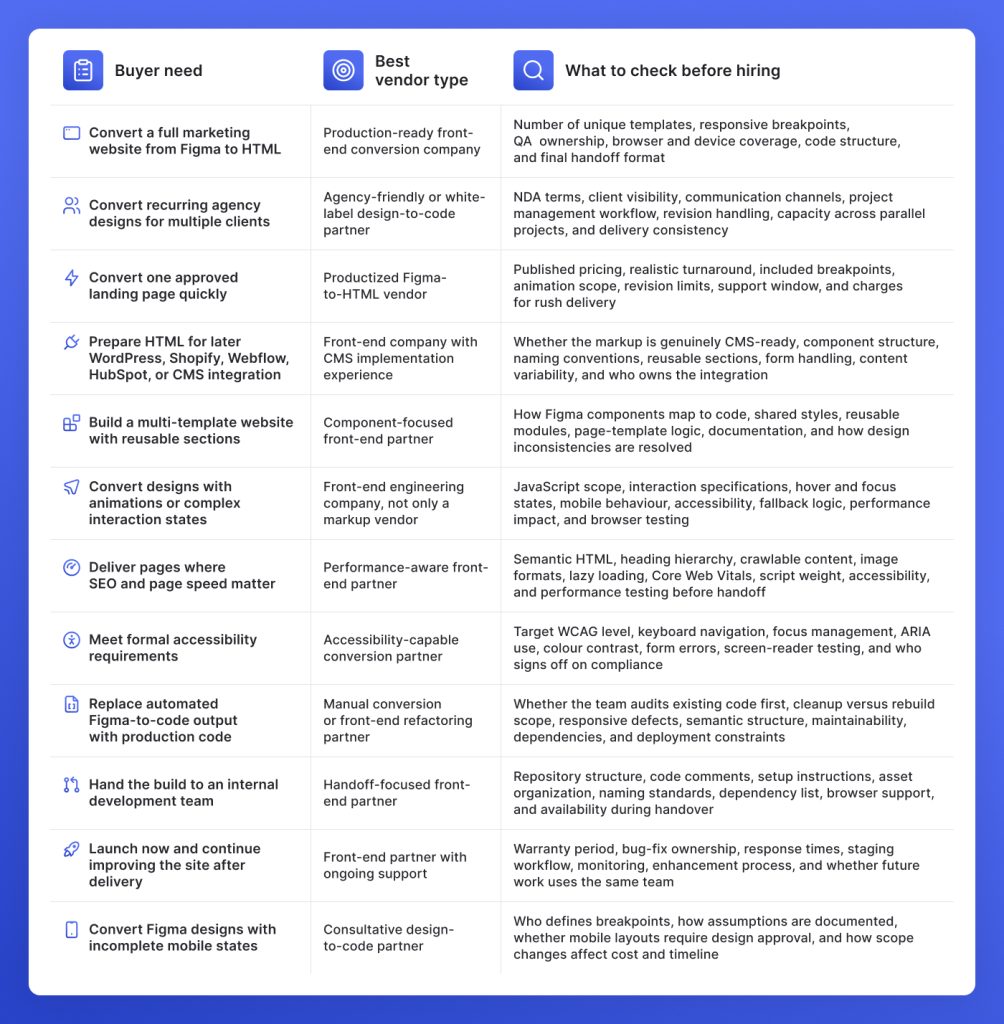
Decision matrix: How to match your Figma-to-HTML project with the right vendor
Figma-to-HTML projects differ less by file format than by what the delivered code must support. Use this matrix to match the vendor model to the actual build, then verify the delivery controls that will affect QA, handoff, and maintainability.
8 risks to check before hiring a Figma-to-HTML company
Treating Figma-to-HTML as a visual-only task
A vendor that only matches the desktop design may ignore semantic structure, responsive behaviour, interactions, accessibility, and future code use. The result may pass visual review but still require substantial rework before launch.
Missing responsive edge cases
Desktop and mobile mockups rarely cover tablet widths, long headings, translated copy, expanded menus, form errors, uneven cards, or intermediate breakpoints. Ask how the team defines, documents, and tests responsive behaviour when the Figma file leaves gaps.
Weak semantic HTML and heading structure
Incorrect heading levels, excessive generic containers, non-semantic controls, and crawler-hidden content can hurt accessibility, SEO, and future development. Confirm that semantic markup and heading hierarchy are included in QA.
Code that is hard to maintain
Duplicated CSS, rigid positioning, inconsistent naming, and page-specific fixes become costly when the site expands or the code moves to an internal team. Check how the vendor handles reusable components, shared styles, folder structure, comments, and naming conventions.
Poor image handling and performance
Uncompressed assets, wrong formats, missing dimensions, heavy scripts, and careless loading behaviour can cause slow pages, layout shifts, and weaker Core Web Vitals. The scope should cover responsive images, modern formats, lazy loading, font handling, script weight, and performance checks.
No clear revision or QA process
Undefined review terms can leave buyers paying extra for browser issues, broken interactions, or layout mismatches. The contract should specify what is tested, how feedback is submitted, how many revision rounds are included, and what counts as a defect or scope change.
Unclear ownership of interactive elements
Figma may show forms, menus, tabs, modals, sliders, hover states, validation, and animations without defining their behaviour. Confirm which interactions are included, how mobile and keyboard states work, whether form processing is covered, and who handles third-party scripts or APIs.
HTML that is difficult to integrate later
Static-preview markup may not transfer cleanly into WordPress, Shopify, HubSpot, React, Webflow, or another platform. Share the target platform before development starts. The code structure, reusable components, content fields, and asset paths should support the planned integration.
Reduce Figma-to-HTML delivery risk
Get responsive and cross-browser-tested code from $299
This is not an independent research report, analyst ranking, sponsored placement, or paid directory listing. The companies included in this article were identified and evaluated using publicly available information available at the time of publication, including company websites, service pages, case studies, portfolios, and verifiable third-party review platforms, combined with AI-assisted research and human editorial review conducted by the GetDevDone team. The selection and ordering of companies reflect our editorial judgment regarding their visible relevance to Figma-to-HTML conversion projects and capabilities based on the criteria discussed in this article. Different agencies, project requirements, budgets, and operating models may reasonably lead to different conclusions. We have made a good-faith effort to evaluate companies based on verifiable public information rather than marketing claims alone. However, this list is not exhaustive, definitive, or free from an editorial perspective.
FAQ about the best Figma to HTML conversion companies
A Figma to HTML conversion company turns approved Figma designs into responsive HTML, CSS, and JavaScript that can be tested, handed off, integrated into a CMS, or used as part of a wider front-end build. A capable provider does more than reproduce the desktop layout. It should also resolve responsive behaviour, structure the markup semantically, implement interactions, test across browsers and devices, and prepare the code for its next use. The service is most valuable when production quality matters more than getting a quick code export. Agencies and businesses usually hire these companies when they need maintainable code, predictable QA, a clear revision process, and fewer problems during CMS integration or developer handoff.
The GetDevDone experts recommend making a choice based on the type of project and what is expected after delivery. A productized conversion provider can handle a single approved landing page, but a multi-template marketing website needs stronger component planning, responsive QA, documentation, and handoff discipline. Recurring agency work also requires a vendor that can maintain delivery quality across several clients and follow white-label communication rules.
Before hiring, compare the company’s experience with your target output, such as static HTML, WordPress, Shopify, HubSpot, React, or another system. Then assess its QA scope, browser coverage, accessibility process, revision policy, timeline, communication model, and post-delivery support. The strongest option is the one whose workflow matches the risks in your project, not the company with the broadest service list.
Use a Figma-to-code tool for prototypes, internal experiments, or early validation where speed matters more than code quality. Hire a reliable provider when the output must be responsive, semantic, maintainable, accessible, tested, and ready for production or CMS integration.
As our own experience at GetDevDone proves, automated tools can generate a useful starting point, but they do not reliably resolve unclear breakpoints, content overflow, interaction states, heading structure, form behaviour, or platform-specific handoff needs. The initial export may be fast, yet cleanup can cost more than manual implementation when several templates, real content, accessibility requirements, or long-term maintenance are involved.
Check the vendor’s process for responsive behaviour, semantic markup, browser testing, visual QA, interactions, revisions, and handoff. Ask which breakpoints and browsers are included, how the team handles missing mobile designs, and whether forms, menus, sliders, animations, hover states, and validation are part of the quoted scope.
Also confirm how the code will be organized and delivered. Review component reuse, naming conventions, asset handling, repository structure, documentation, CMS readiness, warranty terms, and who owns fixes after delivery.
Figma-to-HTML delivery is enough when the buyer needs a static front-end, a landing page, a set of website templates, or HTML that another development team will integrate later.
A full website may also require a CMS, database, authentication, payments, search, analytics, form processing, APIs, hosting, deployment, and ongoing maintenance. Those elements sit outside basic HTML conversion unless they are explicitly included.
Figma to HTML produces front-end files, typically HTML, CSS, JavaScript, assets, and sometimes reusable components. The content is usually hard-coded unless another system is added later. Figma to WordPress takes the design through an additional implementation stage. The layouts become WordPress templates, editable blocks, custom fields, or theme components, and the content is connected to the CMS.
Choose Figma to HTML when you need portable front-end assets or another team will handle integration. Choose Figma to WordPress when marketers need to edit and publish the finished site inside WordPress.
Cost depends on the number of unique page templates, design complexity, responsive states, interaction scope, code requirements, QA depth, and turnaround. At GetDevDone, Figma-to-HTML conversion starts at $299. A simple landing page with approved desktop and mobile designs may fit a fixed package, while multi-page websites with reusable components, animations, accessibility requirements, or CMS-ready structure usually need a custom estimate.
A clearly approved landing page may take a few business days. At GetDevDone, the first page typically takes 3-5 business days, with each additional page taking 1-2 business days. Larger websites with several unique templates, responsive edge cases, interactive elements, and formal QA may take several weeks.
The most common failure is code that matches one desktop screenshot but breaks under real conditions. Typical problems include missing tablet behaviour, long content overflowing containers, non-functional menus, inaccessible forms, poor heading structure, duplicated CSS, oversized images, and layouts that are difficult to integrate into a CMS.
Many do, but buyers should never assume both are included. Responsive delivery should cover more than shrinking the desktop layout. It should account for mobile and tablet breakpoints, navigation changes, content overflow, form states, typography, image behaviour, and touch interactions.
Cross-browser testing should specify the actual browsers, devices, and versions covered. Ask whether QA includes Chrome, Safari, Edge, Firefox, iOS, Android, real devices, and intermediate viewport widths. A vendor that only checks one desktop browser may still describe the output as responsive, so the testing scope should appear in the proposal or statement of work.
How to convert Figma to HTML: design analysis, semantic HTML, CSS styling, responsive implementation, testing, and updates for a production-ready webpage.
Do you have a Figma design and wonder how to convert it into a functional WordPress website? Read this post to discover three possible methods to approach this task, including their pros, cons, and challenges.
Talk to a commerce advisor to define the right architecture, platforms, and growth model for your business.
Get guidance on configuration, scalability, and compliance — tailored to your market and goals.